









Join thousands of students achieving their dreams with expert-led courses.
Join free and unlock everything on EasyShiksha.
Takes less than 3 seconds — no password needed
Please enter a valid email address.
Checking your email…
Almost done — just verify your number so we can send course updates and certificates.
Used only for verification & updates
Incorrect OTP. Please try again.
Takes less than 10 seconds
Please select your country.
Please select your state.

Every computer application depends on the operating system to perform important tasks. When a program opens a file, creates a process, accesses a device or communicates with another program, it often needs services that cannot be performed directly from ordinary application code.
The operating system provides these services through a mechanism called a system call. System calls act as a controlled connection between user applications and the operating system kernel.
To understand this mechanism, BCA students also need to learn about user mode and kernel mode. These are processor execution modes that help protect the computer from unauthorised operations and prevent ordinary applications from directly controlling critical hardware resources.
System calls and processor modes are important operating-system concepts. They help students understand how applications interact with system resources, how operating systems enforce security and how low-level software works.
A system call is a programmed request through which an application asks the operating system kernel to perform a particular service.
Applications normally run in user mode, where access to certain hardware operations and protected resources is restricted. When an application needs a service controlled by the operating system, it uses a system-call interface.
For example, when a program needs to read a file, it requests the operating system to access the file and return the required information.
Common activities that may require system calls include:
Creating or terminating processes.
Opening, reading and writing files.
Accessing devices.
Retrieving system information.
Communicating with other processes.
Managing permissions and protected resources.
System calls make it possible for applications to use operating-system services without directly controlling privileged hardware operations.
These concepts explain the relationship between application software, the operating system and computer hardware.
Students benefit from studying them in several ways:
1. Understanding operating system functionality: Students learn how applications request services from the operating system.
2. Learning system security: User mode and kernel mode explain how operating systems restrict access to protected resources.
3. Improving programming knowledge: System calls are useful when learning file handling, process creation and low-level programming.
4. Understanding application execution: Students learn what happens when a program requests a service that requires kernel support.
5. Building technical foundations: These concepts are useful for further study of operating systems, system programming, cybersecurity and computer architecture.
6. Developing troubleshooting skills: Understanding system calls can help students investigate permission errors, failed file operations and process-related problems.
System calls and processor modes are generally taught as part of operating systems or computer fundamentals in a BCA programme. They are not normally offered as a separate degree.
Students generally need to complete Class 12 or an equivalent qualification to enter a BCA programme. Specific admission requirements depend on the programme.
Students from science, commerce and arts backgrounds may be eligible, depending on the admission rules. Some programmes may require mathematics or a related subject.
A basic understanding of computer operations and programming is helpful. Knowledge of C programming can make practical system-call exercises easier, but students can begin with the theoretical fundamentals.
System calls and processor modes are usually included in the operating systems subject within a BCA programme. They do not have a separate course duration.
A typical three-year BCA programme is divided into six semesters, although the structure can vary.
The subject may be covered through lectures, programming demonstrations, laboratory exercises and operating system case studies.
Students generally study these concepts in the following sequence:
Introduction to operating system services.
User mode and kernel mode.
Kernel responsibilities.
System-call interfaces.
System-call categories.
System-call execution and mode switching.
Application programming interfaces.
Practical system programming.
User mode is a restricted processor execution mode in which ordinary applications run.
Programs running in user mode cannot directly perform certain privileged operations, such as changing protected processor settings or accessing restricted hardware resources.
The operating system uses these restrictions to protect the system from faulty or unauthorised application behaviour.
For example, a text editor should not be allowed to directly modify another application's protected memory. User-mode restrictions help prevent such interference.
Important characteristics of user mode include:
Restricted access to protected memory.
Limited access to hardware resources.
Restrictions on privileged processor instructions.
Dependence on operating-system services for protected operations.
Isolation between ordinary applications.
Kernel mode is a privileged processor execution mode used by the operating system kernel.
Code running in kernel mode has access to protected system resources and can perform privileged operations when authorised by the operating system.
The kernel manages important system activities, including:
Process scheduling.
Memory management.
Device communication.
File system operations.
Hardware resource management.
Security and access control.
Because kernel-mode code has extensive privileges, programming errors in this area can affect the entire system.
User mode and kernel mode provide different levels of access to computer resources.
User Mode:
Used by ordinary applications.
Has restricted access to protected resources.
Cannot execute privileged instructions.
Helps isolate applications from one another.
Relies on system calls for privileged services.
Kernel Mode:
Used by the operating system kernel and other authorised privileged components.
Has access to protected resources.
Can execute privileged instructions.
Manages hardware and system resources.
Requires careful protection because errors can affect system stability.
The operating system switches between these modes when an application requires a privileged service.
A system-call interface provides the connection between application programs and operating-system services.
Programmers usually interact with an application programming interface (API) or a programming-language library rather than manually writing low-level system-call instructions.
For example, a C program may use functions such as open(), read() and write() to perform file operations.
The library or runtime provides a convenient interface and, when necessary, invokes the underlying operating-system system call.
It is important to understand that an API function and a system call are not always the same thing. An API may perform additional work before making a system call, or it may complete an operation without entering the kernel.
A system call involves a controlled transition from user mode to kernel mode.
A typical sequence includes:
Step 1: Application Request
An application needs an operating-system service, such as opening a file or creating a process.
Step 2: System-Call Preparation
The application uses a library function or system-call wrapper to prepare the required operation and its arguments.
Step 3: System-Call Instruction
The program executes a special instruction, commonly called a system-call or trap instruction, depending on the processor architecture.
Step 4: Mode Transition
The processor transfers control to a predefined operating-system entry point and enters kernel mode.
Step 5: Request Validation
The kernel identifies the requested service and checks the supplied arguments and permissions.
Step 6: Service Execution
The kernel performs the requested operation or returns an appropriate error.
Step 7: Returning to User Mode
The operating system returns the result to the application and restores user-mode execution.
This process allows applications to request privileged services through a controlled mechanism.
System calls are commonly classified according to the services they provide.
These system calls support process creation, execution and termination.
Common operations include:
Creating a process.
Executing a program.
Terminating a process.
Waiting for another process.
Obtaining process information.
Examples in Unix-like systems include fork(), exec() and wait().
These system calls help applications work with files.
Common operations include:
Creating files.
Opening files.
Reading data.
Writing data.
Closing files.
Removing files.
Changing file information.
Examples include open(), read(), write() and close().
These system calls help applications and operating-system components interact with devices.
They may support operations such as requesting device access, reading device information and controlling device-specific operations.
An example in Unix-like systems is ioctl(), which provides device-specific control operations.
These system calls retrieve or update information about the operating system, processes and other system resources.
Examples include operations that retrieve process identifiers, system time and resource information.
These system calls support communication between processes and other software components.
Common communication mechanisms include:
Pipes.
Shared memory.
Message queues.
Sockets.
For example, pipe() can create a communication channel between related processes in Unix-like systems.
These system calls help manage permissions, ownership and access restrictions.
Examples include operations for changing file permissions or user identity information, subject to the operating system's security rules.
A trap is a controlled transfer of execution to an operating-system handler. System-call instructions commonly use this mechanism to request kernel services.
A trap may also occur because of certain exceptional conditions during program execution.
For example, an application may deliberately enter the kernel through a system-call instruction. The processor saves the necessary execution information and transfers control to the appropriate handler.
Students should distinguish between a system call and a hardware interrupt. A system call is a request initiated by a program, while a hardware interrupt is generally generated by a hardware device or processor event.
The kernel is the central component of an operating system. It manages access to hardware and coordinates important system resources.
Its responsibilities include:
Managing processes and threads.
Allocating and protecting memory.
Managing file systems.
Controlling device access.
Handling interrupts and exceptions.
Enforcing security and access restrictions.
Providing system-call services.
The kernel operates with privileges that ordinary applications do not have.
An API is a defined interface that allows one software component to use the functionality of another.
In operating-system programming, APIs provide convenient functions that applications can use to request system services.
For example, a programmer may use a C library function to write information to a file instead of directly handling the processor instruction used to enter the kernel.
APIs make programming easier and can improve portability because applications can use familiar interfaces across different systems.
An ordinary function call transfers control to another function within a program or library. It does not necessarily require a transition into kernel mode.
A system call requests a service from the operating system and generally requires a controlled transition into kernel mode.
For example:
Calling a function that calculates the sum of two numbers normally remains within user-mode execution.
Requesting the operating system to read data from a protected file may require a system call.
The main difference is that an ordinary function performs program-level work, while a system call requests a service controlled by the operating system.
Without execution-mode restrictions, ordinary applications could potentially perform operations that damage the operating system or interfere with other programs.
User mode and kernel mode help prevent this by separating ordinary application execution from privileged operating-system operations.
Important security benefits include:
Protecting kernel memory.
Restricting unauthorised hardware access.
Preventing applications from directly executing privileged instructions.
Supporting process isolation.
Providing controlled access to system resources.
These mechanisms are important, but they do not independently guarantee complete system security. Operating systems also use authentication, permissions, memory protection and other security controls.
A system call may fail if the requested operation cannot be completed.
Common reasons include:
The requested file does not exist.
The application does not have sufficient permission.
The supplied arguments are invalid.
A required resource is unavailable.
A device or communication operation fails.
In Unix-like systems, many system-call interfaces indicate failure through a return value and provide additional error information, commonly through errno in C library interfaces.
Students should learn to check return values rather than assuming that every system call succeeds.
Practical work helps students understand how applications interact with the operating system.
Useful exercises include:
Writing a C program that creates a child process using fork().
Using exec() to execute another program.
Using wait() to make a parent process wait for its child.
Opening and reading a file using open() and read().
Writing information to a file using write().
Displaying a process identifier.
Checking file permissions.
Creating a simple communication channel using pipe().
Comparing an ordinary function call with an operating-system service request.
These exercises should be performed in an appropriate development environment with the required operating-system support.
1. Process Creation Demonstration
Develop a C program that creates a child process and displays the process identifiers of both parent and child.
2. File System Call Demonstration
Create a program that opens a file, reads its contents, writes information to another file and closes both files.
3. Parent and Child Communication
Build a small program that uses a pipe to send a message from one process to another.
4. Process Information Viewer
Develop a basic utility that displays process identifiers and selected system information.
5. Permission Checking Tool
Create a simple program that checks whether a file exists and displays its access permissions.
System calls and processor modes are generally part of the BCA operating systems curriculum. Students need to apply for the complete degree programme rather than a separate qualification in this topic.
A typical admission process includes:
Check the eligibility criteria for the BCA programme.
Review the admission requirements and application dates.
Complete the application form.
Submit the required academic documents.
Appear for an entrance examination if applicable.
Complete document verification.
Confirm admission according to the prescribed process.
The exact process may vary depending on the programme and institution.
BCA programmes may be offered through different learning modes, subject to applicable recognition and regulations.
Regular programmes generally include classroom teaching, faculty interaction and practical laboratory sessions. These sessions can help students understand system programming and operating-system demonstrations.
Online programmes may provide recorded lessons, live classes, digital study material and online assessments. Students should check whether practical programming activities are included.
Distance learning provides flexibility for students who cannot attend regular classes. Learners should review the availability of practical support, assessment methods and programme recognition before enrolling.
Studying these topics can help BCA students develop several technical skills.
Operating System Knowledge: Understanding how applications interact with the kernel.
C Programming: Writing programs that use operating-system interfaces and system services.
Process Management: Understanding process creation, execution and termination.
System Troubleshooting: Identifying errors related to permissions, files and processes.
Security Awareness: Understanding privilege separation and protected resource access.
Analytical Thinking: Examining how requests move between applications and operating-system components.
Low-Level Programming Knowledge: Building a foundation for further study of system software and computer architecture.
System calls and processor modes are foundational subjects, not standalone professional qualifications. However, knowledge of these concepts can support students who want to pursue careers in software and IT after completing their BCA and developing additional skills.
Software developers build applications that interact with operating-system services, files, processes and other resources. System-call knowledge can help them understand lower-level application behaviour.
System programmers work on software that interacts closely with operating systems, hardware resources and system libraries. This role generally requires strong programming and operating-system knowledge.
System administrators manage operating systems, user permissions, processes and system resources. Understanding kernel services and access restrictions can help with troubleshooting.
Technical support engineers investigate application failures, permission errors and system-level problems. Operating-system fundamentals are useful for diagnosing these issues.
Backend developers build services that handle files, processes and communication between applications. System programming knowledge can strengthen their understanding of how software interacts with the host operating system.
Cybersecurity professionals study operating-system behaviour, access controls and privilege restrictions. System-call knowledge can support further learning in operating-system security and system monitoring.
Students who develop additional programming and system administration skills may explore opportunities in:
Software development companies.
IT infrastructure services.
Cybersecurity organisations.
Cloud computing and hosting services.
Enterprise technology departments.
System software development.
Technical support and managed services.
Research and computing laboratories.
Employers generally consider practical experience, programming ability and broader technical knowledge rather than knowledge of one operating-system topic alone.
Students who want to continue their education can explore several postgraduate and specialised learning options.
MCA provides advanced education in software development, programming, databases, operating systems and computer applications.
This programme can provide deeper academic knowledge of computing concepts, system design, algorithms and advanced computer science topics.
A relevant postgraduate diploma may help students strengthen their practical computing and application development skills.
Students can explore additional training in:
Operating system administration.
Linux system programming.
Cybersecurity fundamentals.
C and C++ programming.
Cloud infrastructure.
DevOps fundamentals.
Computer architecture.
The best option depends on a student's career goals and technical interests.
System calls and APIs are related, but they are not identical.
An API is an interface that allows software components to use specific functions or services. It may provide a convenient programming interface for developers.
A system call is a controlled request to the operating system kernel for a service that requires kernel support.
For example, a developer may call a library function to write data to a file. That function may eventually invoke a system call to ask the operating system to perform the actual write operation.
An API can contain many functions that never directly invoke a system call.
User mode is intended for ordinary application execution and provides restricted access to system resources.
Kernel mode is a privileged execution mode used by the operating system to perform protected operations.
The separation helps protect the operating system from application errors and prevents ordinary programs from directly controlling restricted hardware and memory resources.
When selecting a BCA programme, students should examine the operating systems syllabus to confirm that it covers system calls, user and kernel modes, operating-system services and practical system programming.
They should also review programming laboratory facilities, course materials, practical assignments and opportunities to work with C or other system-level programming tools.
Students comparing different programmes can explore the EasyShiksha University Programs section as part of their education research.
A suitable programme should combine operating-system fundamentals with programming practice and broader computer science knowledge.
System calls and kernel/user mode are important concepts in operating system education for BCA students. System calls allow applications to request services from the operating system, while user mode and kernel mode provide different levels of access to computer resources.
Understanding system-call categories, mode switching, APIs, traps and kernel responsibilities helps students learn how software interacts with the operating system.
Practical exercises involving process creation, file operations and inter-process communication can strengthen this knowledge. These foundations are useful for further learning in software development, system programming, system administration and cybersecurity.
A system call is a request made by an application to the operating system kernel for a service such as file access, process creation or device management.
User mode is a restricted processor execution mode in which ordinary applications run. It limits access to privileged instructions and protected system resources.
Kernel mode is a privileged execution mode used by the operating system kernel to manage hardware, memory, processes and other system resources.
User mode provides restricted access for ordinary applications, while kernel mode allows authorised operating-system code to perform privileged operations.
System calls allow applications to request operating-system services without directly performing restricted hardware or kernel operations.
Common categories include process control, file management, device management, information maintenance, communication and protection.
The application prepares a request, executes a system-call instruction, enters kernel mode and allows the kernel to validate and perform the operation. The result is then returned to the application.
A system-call interface is the mechanism through which application software requests services from the operating system kernel.
An API is a programming interface that exposes functions or services. A system call is a controlled request to the operating system kernel. An API function may invoke a system call, but not every API function does so.
A trap is a controlled transfer of execution to an operating-system handler. System-call instructions commonly use this mechanism to enter the kernel.
The kernel manages processes, memory, devices, file systems, hardware communication and protected system resources.
No. Ordinary applications running in user mode are restricted from executing privileged instructions. They must request the required services through authorised operating-system mechanisms.
Examples include fork(), exec(), wait(), open(), read(), write() and close().
Process control refers to operations used to create, execute, manage and terminate processes. Examples include process creation and waiting for a process to finish.
An ordinary function call transfers control to another function within a program or library. A system call requests an operating-system service and generally involves a transition into kernel mode.
User-mode restrictions help prevent applications from accessing protected memory, executing privileged instructions or interfering directly with critical hardware resources.
Yes. A system call can fail because of invalid arguments, insufficient permissions, missing files, unavailable resources or device errors. Applications should check return values and handle errors appropriately.
C is particularly useful because it provides access to many operating-system interfaces and is commonly used in system programming exercises. C++ and other languages can also interact with operating-system services.
Students can build a process creation demonstration, file handling utility, parent-child communication program, process information viewer or file permission checking tool.
They are included in many BCA operating systems syllabi, although the exact topics and depth of coverage vary between programmes.
Yes. System calls provide access to important operating-system services. Understanding them helps students learn about permissions, process isolation, privilege restrictions and operating-system security.
Students can continue with process management, memory management, operating-system architecture, system programming, Linux fundamentals, computer security and computer architecture.
More News Click here










Discover thousands of colleges and courses, enhance skills with online courses and internships, explore career alternatives, and stay updated with the latest educational news..

Gain high-quality, filtered student leads, prominent homepage ads, top search ranking, and a separate website. Let us actively enhance your brand awareness.
Download EasyShiksha Mobile Apps from Android Play Store, Apple App Store, Amazon App Store, and Jio STB.
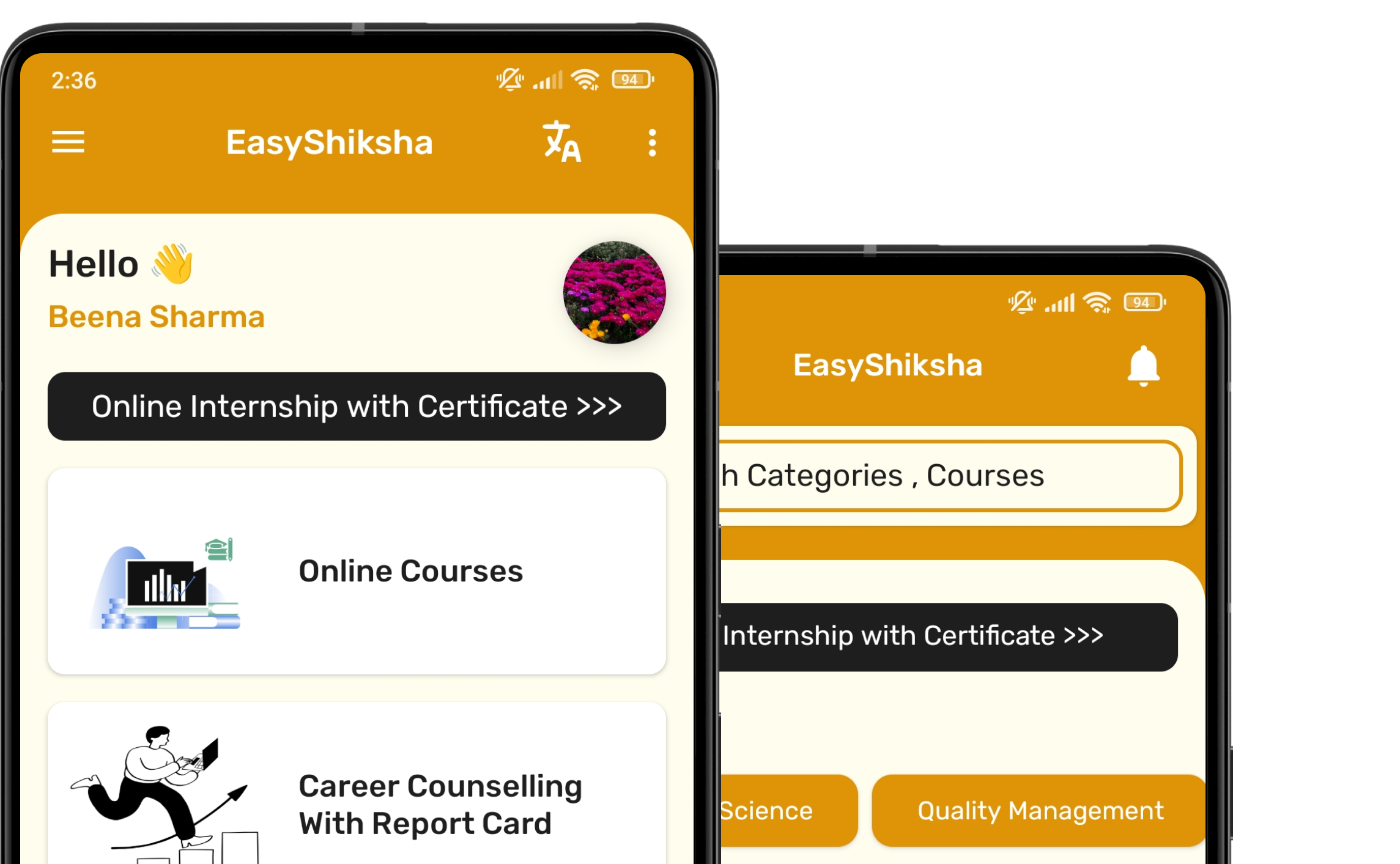


1 million+ learned on the EasyShiksha App
Trusted by Standards & Global Compliance Frameworks





Built under internationally recognized standards for quality, information security, educational excellence and business continuity.
ISO 9001:2015 | ISO/IEC 27001:2022 | ISO 21001:2018 | ISO 22301:2019 | DPIIT Recognized Startup | MSME Registered