









Join thousands of students achieving their dreams with expert-led courses.
Join free and unlock everything on EasyShiksha.
Takes less than 3 seconds — no password needed
Please enter a valid email address.
Checking your email…
Almost done — just verify your number so we can send course updates and certificates.
Used only for verification & updates
Incorrect OTP. Please try again.
Takes less than 10 seconds
Please select your country.
Please select your state.

Computers are often connected to each other to share information, files, printers and internet connections. This connection is called a computer network.
Computer networking is an important subject in the Bachelor of Computer Applications (BCA) programme. It helps students understand how computers communicate and how information moves between devices.
Networking knowledge is useful in website development, software applications, server management and technical support. Students can also practise networking concepts through simple activities using their own computers.
This article explains computer networking in simple language, including network types, devices, IP addresses, basic commands and practical exercises.
Computer networking is the process of connecting two or more computers or devices so they can exchange information and share resources.
For example, when several computers in a college computer lab use the same internet connection, they are part of a network.
Other common examples include:
Computers connected in an office.
Mobile phones connected to a Wi-Fi router.
Printers shared between multiple computers.
College computers connected to a central server.
Devices connected through a home internet network.
A network can use cables, wireless connections or a combination of both.
Networking helps students understand how computers and applications communicate with each other.
Students learn how devices connect and exchange information over networks.
Networking introduces important concepts such as IP addresses, routers, servers and communication protocols.
Developers need networking knowledge when working with websites, APIs, databases and applications that communicate over the internet.
Basic networking knowledge helps students identify common internet and connection problems.
Networking provides a foundation for learning system administration, network support, cloud computing and cybersecurity.
Students interested in computer application courses can explore the BCA programme directory on EasyShiksha.
Networks can be classified according to the area they cover and the way devices are connected.
| Network type | Full form | Simple explanation |
|---|---|---|
| PAN | Personal Area Network | Connects devices around one person, such as a phone and wireless headphones. |
| LAN | Local Area Network | Connects devices in a limited area, such as a home, office or computer lab. |
| MAN | Metropolitan Area Network | Connects networks across a city or a large urban area. |
| WAN | Wide Area Network | Connects networks across large geographical areas. The internet is a common example. |
A PAN connects devices that are close to one person.
For example, a mobile phone connected to a smartwatch or wireless headphones creates a small personal network.
A LAN connects computers and other devices within a limited location.
A college computer lab is a common example. Computers may share files, printers and an internet connection through the same network.
A MAN connects multiple networks across a city or a large urban area.
It can be used to connect different offices or institutional locations.
A WAN connects devices and networks across large distances.
For example, an organisation may connect its offices in different cities through a wide area network.
Different devices help computers connect and communicate with each other.
| Device | Main purpose | Example |
|---|---|---|
| Router | Connects different networks and forwards data between them. | Home Wi-Fi router. |
| Switch | Connects multiple devices within a local network. | Office network switch. |
| Modem | Connects a network to an internet service through the provider's connection technology. | Home broadband modem. |
| Hub | Sends received data to all connected ports. | Basic computer lab network example. |
| Network Interface Card (NIC) | Allows a computer to connect to a network. | Ethernet or wireless network adapter. |
| Wireless Access Point | Allows wireless devices to connect to a network. | Wi-Fi access point in a college. |
Students should understand the difference between a router and a switch. A switch mainly connects devices within a local network, while a router connects different networks.
An IP address is a numerical address assigned to a device on an IP network. It helps identify the device's network connection so that information can be sent to the correct destination.
For example, a computer connected to a home network may have an address such as:
192.168.1.10This is an example of a private IPv4 address.
There are two commonly used IP versions.
IPv4: Uses four groups of numbers separated by dots.
Example:
192.168.1.10IPv6: Uses hexadecimal groups separated by colons.
Example:
2001:db8::10IPv6 provides a much larger address space than IPv4.
| IP address type | Meaning | Example |
|---|---|---|
| Private IP | Used within a private network, such as a home or office network. | 192.168.1.10 |
| Public IP | Used to identify a network or device on the public internet. | Assigned by an internet service provider. |
A home router commonly uses a public IP address for internet communication and private IP addresses for devices connected inside the home.
A MAC address is an identifier associated with a network interface. It is used for communication within a local network.
For example, a laptop's wireless network adapter has its own MAC address.
An example of a MAC address is:
00:1A:2B:3C:4D:5EAn IP address helps with communication across IP networks, while a MAC address is used at the data-link layer for communication on a local network.
A network protocol is a set of rules that devices follow when exchanging information.
BCA students should understand the following common protocols.
| Protocol | Purpose | Common use |
|---|---|---|
| HTTP | Transfers web content. | Opening websites. |
| HTTPS | Provides encrypted communication for web traffic. | Online banking and secure websites. |
| TCP | Provides reliable, ordered data delivery. | Many web and application connections. |
| UDP | Sends data without the same delivery guarantees as TCP. | Some real-time communication and streaming. |
| DNS | Converts domain names into IP addresses. | Finding the server for a website name. |
| DHCP | Automatically provides network configuration to devices. | Connecting a device to a home Wi-Fi network. |
| FTP | Transfers files between systems. | File transfer in supported environments. |
Students do not need to memorise every technical detail at the beginning. They should first understand what each protocol does and where it is commonly used.
The OSI model is a framework that explains network communication through seven layers. Each layer has a different responsibility.
| Layer | Name | Simple purpose |
|---|---|---|
| 7 | Application | Provides network services to applications. |
| 6 | Presentation | Handles data representation and related functions. |
| 5 | Session | Manages communication sessions. |
| 4 | Transport | Supports communication between devices and applications. |
| 3 | Network | Handles logical addressing and routing. |
| 2 | Data Link | Handles communication over a local network link. |
| 1 | Physical | Deals with physical connections and signals. |
For example, when a user opens a website, several layers work together to send and receive the required information.
The OSI model helps students understand where different networking tasks take place and makes troubleshooting easier to organise.
Students can use built-in command-line tools to check network information and troubleshoot simple connection problems.
| Command | Purpose |
|---|---|
ipconfig |
Displays network configuration on Windows. |
ipconfig /all |
Displays detailed network information on Windows. |
ping |
Checks whether a destination responds over the network. |
tracert |
Shows the route taken by network packets on Windows. |
nslookup |
Checks DNS information for a domain name. |
hostname |
Displays the computer's host name. |
ip addr |
Displays network interface addresses on Linux. |
traceroute |
Shows the route to a destination on many Linux systems. |
Open the Command Prompt on Windows and enter:
ping 8.8.8.8The command sends test packets to the destination and displays whether replies are received.
A successful reply suggests that the destination is reachable, but it does not prove that every part of the internet connection is working correctly.
On Windows, enter:
ipconfigThe output may show the computer's IPv4 address, subnet mask and default gateway.
On Linux, students can use:
ip addrThese commands help students understand the network information assigned to their computers.
Students can learn networking more effectively by performing small exercises on their computers.
Objective: Learn how to check the network address of a computer.
Steps:
Open Command Prompt on Windows.
Type ipconfig.
Press Enter.
Find the IPv4 Address section.
Record the address shown for the active network connection.
Learning outcome: Understand how to view basic network configuration.
Objective: Check whether a destination responds to network requests.
Steps:
Open Command Prompt.
Type ping 8.8.8.8.
Press Enter.
Read the replies or error messages.
Repeat the test with another permitted destination.
Learning outcome: Understand how the ping command checks network reachability.
Objective: Understand how DNS helps find websites.
Steps:
Open Command Prompt.
Type nslookup example.com.
Press Enter.
Observe the DNS server and the returned address information.
Learning outcome: Understand how domain names are resolved into IP addresses.
Objective: Learn how network traffic travels towards a destination.
On Windows, run:
tracert example.comOn Linux, run:
traceroute example.comThe command displays the network hops that respond along the route. Some routers may not respond to these probes, so missing responses do not always mean the connection is broken.
Learning outcome: Understand the basic idea of routing.
Objective: Understand how devices connect in a local network.
Draw a simple diagram containing:
One internet connection.
One router.
Two computers.
One wireless phone.
Show how the devices connect to the router and how the router connects to the internet.
Learning outcome: Understand the basic structure of a home or small office network.
Students often use the terms internet and intranet without understanding their differences.
| Comparison | Internet | Intranet |
|---|---|---|
| Meaning | A global network connecting many networks. | A private network used within an organisation. |
| Access | Generally available to the public. | Restricted to authorised users. |
| Main purpose | Public information and online services. | Internal communication and resource sharing. |
| Example | Public websites and online services. | A college's internal student portal. |
An intranet may use the same networking technologies as the internet, but access is limited to an organisation's authorised users.
Networking knowledge supports several other subjects in a BCA programme.
| BCA subject | Connection with networking |
|---|---|
| Operating Systems | Understand network settings and system communication. |
| Web Development | Learn how browsers communicate with web servers. |
| Database Management | Understand how applications connect to database servers. |
| Software Engineering | Understand communication between application components. |
| Cybersecurity | Learn about network risks and secure communication. |
| Cloud Computing | Understand how cloud systems communicate over networks. |
Students can use these connections to understand how the different parts of a software application work together.
Networking knowledge can support students who want to explore different technical roles.
| Career option | Main responsibilities | Useful additional skills |
|---|---|---|
| Network Support Technician | Help users resolve basic network problems. | Network commands and troubleshooting. |
| Network Administrator | Manage network devices and connections. | Routing, switching and network configuration. |
| System Administrator | Manage computers, servers and user accounts. | Operating systems and server management. |
| IT Support Executive | Help users with computer and connectivity problems. | Hardware, software and networking basics. |
| Cloud Support Associate | Assist with cloud services and connectivity issues. | Networking and cloud fundamentals. |
| Cybersecurity Analyst | Help identify and investigate security problems. | Network security and security fundamentals. |
A BCA degree and basic networking knowledge are a starting point. Students may need additional certifications, practical experience and specialised training for some positions.
Students can follow this six-week plan to practise networking gradually.
Week 1: Understand network basics. Learn what a network is and understand PAN, LAN, MAN and WAN.
Week 2: Learn network devices. Understand routers, switches, modems and network adapters.
Week 3: Study IP addresses. Learn IPv4, IPv6, private addresses and MAC addresses.
Week 4: Understand protocols. Study HTTP, HTTPS, TCP, UDP, DNS and DHCP.
Week 5: Practise commands. Use ping, ipconfig, nslookup and route-checking commands.
Week 6: Complete a practical exercise. Create a network diagram, record your computer's network information and prepare a short report.
Regular practice can help students understand networking concepts more clearly than memorising definitions alone.
A router connects different networks, while a switch mainly connects devices within a local network.
An IP address is used for logical network addressing, while a MAC address identifies a network interface at the data-link layer.
A destination may block ping requests or a firewall may prevent replies. Check other network services before deciding that the connection is unavailable.
Incorrect IP address, DNS or gateway settings can interrupt network access. Students should record the original settings before making changes.
Unknown devices, weak Wi-Fi passwords and unsafe network connections can create security problems. Use strong passwords and connect only to trusted networks.
Students should understand what a command checks and how to read its output. This makes troubleshooting easier.
Computer networking means connecting computers and other devices so they can exchange information and share resources.
Yes. Networking helps BCA students understand internet communication, software applications, servers and computer systems.
A LAN connects devices within a limited area, such as a home or office. A WAN connects networks across larger geographical areas.
An IP address is a numerical address used to identify a device's network connection and help information reach the correct destination.
Students can start with ping, ipconfig, nslookup, tracert, hostname and ip addr.
Yes. Students can use their own computers and home networks to check IP addresses, test connectivity and understand basic network information.
HTTP is used to transfer web content. HTTPS uses encrypted communication to help protect information exchanged between a browser and a website.
Yes. Developers use networking concepts when building applications that communicate with servers, APIs and databases.
Computer networking is an important technical subject for BCA students. It explains how computers connect, exchange information and share resources.
Students should begin by understanding network types, devices, IP addresses and basic protocols. They can then practise commands such as ping, ipconfig and nslookup to understand how network connections work.
Simple exercises and regular practice can build a strong foundation for further learning in software development, network administration, cloud computing and cybersecurity.
More News Click here










Discover thousands of colleges and courses, enhance skills with online courses and internships, explore career alternatives, and stay updated with the latest educational news..

Gain high-quality, filtered student leads, prominent homepage ads, top search ranking, and a separate website. Let us actively enhance your brand awareness.
Download EasyShiksha Mobile Apps from Android Play Store, Apple App Store, Amazon App Store, and Jio STB.
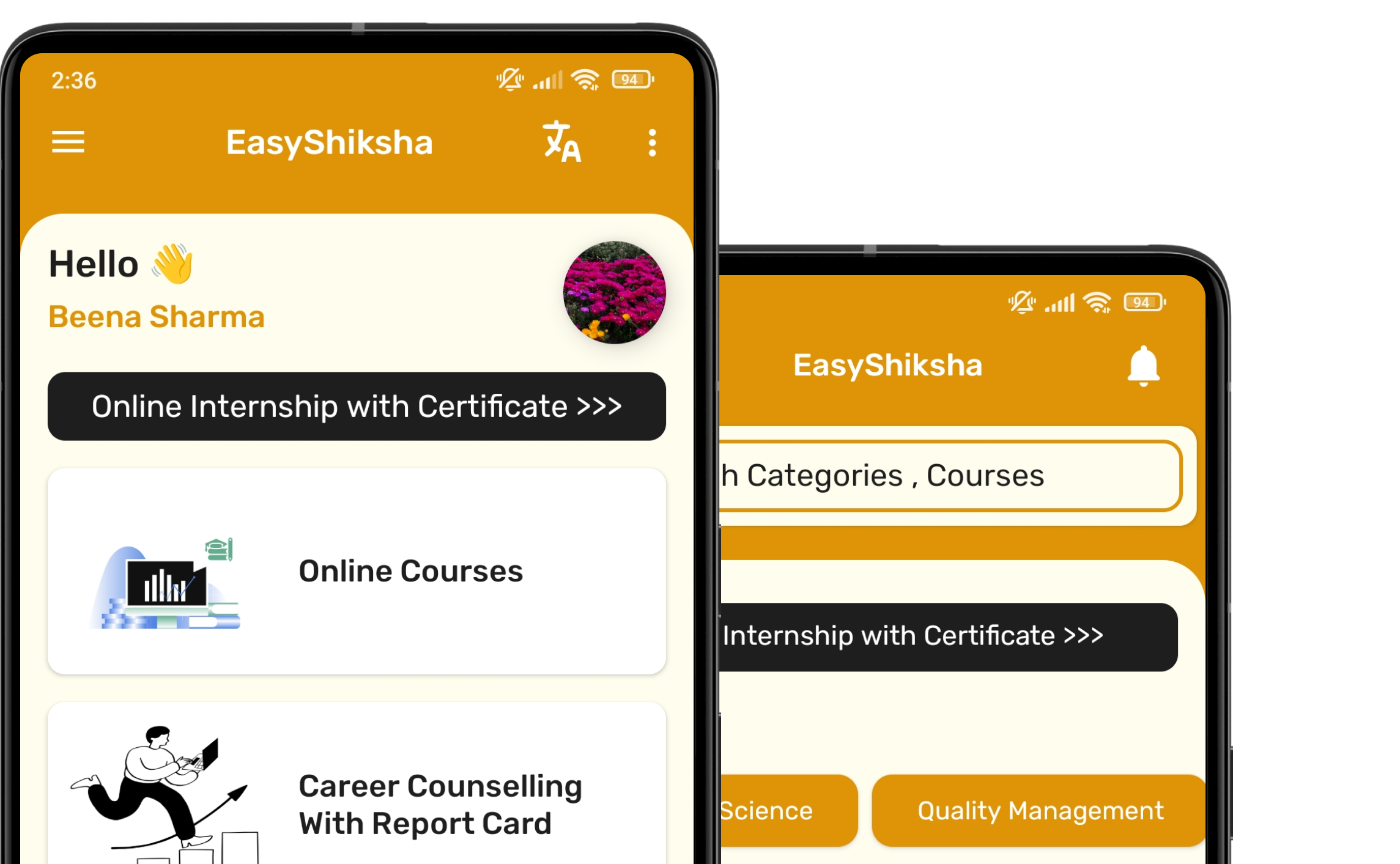


1 million+ learned on the EasyShiksha App
Trusted by Standards & Global Compliance Frameworks





Built under internationally recognized standards for quality, information security, educational excellence and business continuity.
ISO 9001:2015 | ISO/IEC 27001:2022 | ISO 21001:2018 | ISO 22301:2019 | DPIIT Recognized Startup | MSME Registered