
D.Voc in Multimedia & Animation
Program Overview
The Diploma in Multimedia & Animation is offered by the Institute of Vocational Studies, Mangalayatan University. The curriculum is designed to develop foundational and applied skills across art, graphic design, digital photography, computer applications, communication, computer graphics, digital illustration, printing, portfolio development and animation. The official curriculum identifies the program as a 1-year Diploma organized into Semester I and Semester II.
In Semester I, students build fundamental skills through subjects such as Basic Art, Basic of Computer Skills & Operating Systems, Essentials & Elements of Graphic Design, Commercial Design & Communication Process, Digital Art Photography-I, English, Sketching & Drawing Practical, and Python Programming. The curriculum covers drawing fundamentals, visual communication, graphic design principles, photography, computer operations, basic programming and introductory multimedia tools.
Semester II advances these skills into areas including CG Applications & Advertising Techniques, Digital Illustrations & Design Process, Colour Theory & Image Graphic, Digital Photography-II, Communication Skills, Printing Processes & Costing Practical, Digital & Portfolio Design Practical, and Principles of Animation (12 Animation Principles). Students work with digital illustration, advanced photography, advertising, colour and image graphics, printing processes, portfolio development and core animation principles.
The curriculum supports the development of creative, visual, technical and communication-oriented skills. Practical components include sketching and drawing, photography projects, printing and costing activities, portfolio development and animation exercises. The syllabus also includes mini-projects in Python, advertising portfolio work, digital illustration portfolios and photography portfolios. The uploaded syllabus does not specify eligibility/admission requirements, internships, industrial training, exit options or a separate dissertation/research component.
Eligibility Criteria
The minimum eligibility for admission is 10+2 (in any stream) or equivalent or a two-year ITI Diploma after Class 10th or a three-year Polytechnic Diploma after Class 10th.
Approval Details
MHRD, Government of India and UGC
Curriculum
Semester I establishes the foundational skills required for multimedia, animation and design work. Students are introduced to traditional and digital art, computer systems, graphic design, commercial communication, digital photography, English communication, practical sketching and Python programming.
1. BASIC ART
Subject Code: DVOCAM-101
Credits: 2
This subject introduces fundamental art concepts and develops drawing, composition, colour and visual storytelling abilities. Students learn how traditional art concepts can be applied to multimedia and animation.
Key Topics:
- Elements of art including line, shape, form, space, texture, value and colour
- Principles of design such as balance, contrast, emphasis, movement, pattern, rhythm and unity
- Sketching, line drawing, perspective, proportion and composition
- Shading, hatching, cross-hatching and blending
- Colour theory, colour schemes and psychological impact of colours
- Texture, pattern, composition and visual storytelling
- Introduction to digital art tools such as Photoshop and Illustrator
2. BASIC OF COMPUTER SKILLS & OPERATING SYSTEMS
Subject Code: DVOCAM-102
Credits: 3
This subject provides essential computer knowledge and operating-system skills needed for working with multimedia and design applications.
Key Topics:
- Types and components of computers
- Hardware, software, input/output devices and computer memory
- Operating-system concepts, functions and types
- Windows, Linux and macOS
- Kernel, shell, file systems, user interfaces, processes and multitasking
- File and folder management and basic command-line operations
- Word processing, spreadsheets and presentation software
- Email, internet basics, computer security and data protection
- Backup, recovery, system maintenance and basic troubleshooting
- Introduction to multimedia software and multimedia file formats
3. ESSENTIALS & ELEMENTS OF GRAPHIC DESIGN
Subject Code: DVOCAM-103
Credits: 3
This subject introduces graphic design and its applications in multimedia, animation, marketing, advertising, publication, packaging and visual identity.
Key Topics:
- Scope and evolution of graphic design
- Line, shape, form, colour, texture and space
- Typography, typefaces, readability and hierarchy
- Balance, contrast, alignment, repetition, proximity, movement and unity
- Graphic design tools including Adobe Photoshop, Illustrator and CorelDRAW
- Vector and raster graphics
- Layers, masks, shapes and text
- Typography classification and layout
- Grids, composition and visual balance
- Posters, flyers and brochures for print and digital media
4. COMMERCIAL DESIGN & COMMUNICATION PROCESS
Subject Code: DVOCAM-104
Credits: 4
This subject focuses on commercial design, communication and advertising applications. Students learn how visual elements and communication strategies are used to convey messages to target audiences.
Key Topics:
- Commercial design and its role in advertising and marketing
- Branding, packaging, print advertisements and digital advertisements
- Communication models and types of communication
- Verbal, non-verbal and visual communication
- Communication barriers and ways to overcome them
- Images, typography, colour, layout, symbols, icons and signs
- Storyboarding and visual narratives
- Advertising objectives, target markets and persuasive techniques
- Packaging, logos and brand identity
- Communication through video, animation and graphics
- Social media, online platforms and emerging communication trends
5. DIGITAL ART PHOTOGRAPHY- I
Subject Code: DVOCAM-105
Credits: 4
Digital Art Photography-I introduces the fundamentals of digital photography, camera operation, lighting, image formats and basic photo editing. The subject also includes practical photography assignments.
Key Topics:
- Fundamentals and evolution of digital photography
- Digital cameras, lenses, sensors, shutters and apertures
- DSLR, mirrorless, point-and-shoot and smartphone cameras
- ISO, shutter speed and aperture
- Exposure triangle and focusing techniques
- Depth of field and photographic composition
- Natural, artificial and studio lighting
- Reflectors, diffusers, flash, light meters and histograms
- JPEG, PNG, TIFF and RAW formats
- Resolution, pixels, DPI, compression and image quality
- Adobe Photoshop and Lightroom basics
- Cropping, resizing, colour correction, retouching and filters
- Portrait, nature and still-life photography projects
6. ENGLISH
Subject Code: DVOCAM-106
Credits: 2
English develops grammar, vocabulary, reading, writing, listening and speaking abilities, with applications to professional communication in multimedia.
Key Topics:
- Parts of speech and sentence structure
- Present, past and future tenses
- Subject-verb agreement and common grammatical errors
- Vocabulary, word formation, synonyms, antonyms, idioms and phrases
- Reading comprehension, skimming and scanning
- Summarizing and paraphrasing
- Paragraph, letter, email and report writing
- Descriptive and narrative writing
- Listening, pronunciation and speaking practice
- Presentation, group discussion and role-play skills
- Technical writing and scripts for animation and video
- Communication for branding, marketing and teamwork
7. SKECTING & DRAWING PRACTICAL
Subject Code: DVOCAM-107
Credits: 2
This practical subject develops observational drawing, sketching, perspective, shading, figure drawing and visual idea-development skills for multimedia and animation.
Key Topics:
- Sketching tools, materials and hand exercises
- Freehand sketching and observation skills
- Lines, geometric and organic shapes and 2D/3D forms
- Line weight and outline drawing
- One-point, two-point and three-point perspective
- Horizon lines, vanishing points and depth perception
- Hatching, cross-hatching, stippling and blending
- Texture rendering and still-life sketching
- Human proportions, gestures, postures and facial features
- Character sketching and gesture drawing
- Concept art, storyboarding and environment sketches
- Mini sketchbook portfolio development
8. PYTHON PROGRAMMING
Subject Code: DVOCAM-108
Credits: 4
Python Programming introduces programming fundamentals and basic problem-solving through Python. The curriculum progresses from syntax and data types to control structures, data structures, functions, modules and file handling.
Key Topics:
- Python history, features and applications
- Python installation, IDEs and development environments
- Python syntax and indentation
- Variables, constants and data types
- Input/output and type conversion
- Arithmetic, relational, logical, assignment, bitwise, membership and identity operators
- Conditional statements and loops
- Strings, lists, tuples, dictionaries and sets
- Functions, parameters, return values and variable scope
- Lambda functions and Python modules
- File handling and exception handling
- Basic libraries including math, random and datetime
- Mini-projects such as calculators, text-based games and basic data analysis
Download Syllabus
Semester II builds on the first semester by moving into computer graphics, advertising, digital illustration, advanced colour and image work, advanced photography, communication, printing, portfolio design and animation principles.
1. CG APPLICATIONS & ADVERTISING TECHNIQUES
Subject Code: DVOCAM-201
Credits: 2
This subject introduces computer graphics and its applications in advertising, multimedia and animation. Students explore CG tools, advertising concepts and practical advertising projects.
Key Topics:
- Computer graphics concepts, history and applications
- 2D and 3D graphics
- CG hardware and software requirements
- Adobe Photoshop, Illustrator, CorelDRAW, Blender and Maya
- Image editing, vector drawing and modelling basics
- Textures, lighting and rendering
- CG file formats and multimedia integration
- Advertising objectives and types
- Target audiences, market segmentation and advertising ethics
- Advertising research, concept development and storyboarding
- Print, digital and social media advertising
- Google Ads, Facebook Ads and Instagram Ads
- Banner, video and interactive advertisements
- SEO, SEM and advertising performance measurement
- Practical advertising projects and mini advertising portfolio
2. DIGITAL ILLUSTRATIONS & DESIGN PROCESS
Subject Code: DVOCAM-202
Credits: 4
This subject develops digital illustration skills and introduces a structured design process from research and ideation through execution, review and portfolio development.
Key Topics:
- Digital illustration concepts and applications
- Traditional versus digital illustration
- Realistic, stylized, cartoon and vector illustration
- Adobe Illustrator, Photoshop, CorelDRAW and Procreate
- Digital drawing tablets and styluses
- Brushes, layers and blending modes
- Vector and raster illustration
- Research, ideation, sketching, execution and review
- Brainstorming, mood boards and visual references
- Iteration, refinement and client brief analysis
- Colour, lighting, shading, gradients and composition
- Character and environment illustration
- Posters, book covers and social media content
- Digital illustration portfolio development
3. COLOUR THEORY & IMAGE GRAPHIC
Subject Code: DVOCAM-203
Credits: 4
This subject explores colour theory and image graphics, including colour models, colour harmony, image formats, editing and practical colour-based design projects.
Key Topics:
- Colour perception and the role of colour in design
- Psychological and cultural meanings of colour
- Colour in branding and storytelling
- RGB, CMYK and HSB colour models
- Additive and subtractive colour mixing
- Pantone and standard colour libraries
- Web-safe colours and digital display considerations
- Complementary, analogous, triadic, split-complementary and monochromatic schemes
- Warm and cool colour palettes
- Raster and vector graphics
- Resolution, pixels, DPI and PPI
- JPEG, PNG, GIF, TIFF, RAW and SVG formats
- Image compression and optimisation
- Photoshop, GIMP and CorelDRAW
- Image correction, filters, retouching, cloning and compositing
- Colour and image graphics projects
4. DIGITAL PHOTOGRAPHY- II
Subject Code: DVOCAM-204
Credits: 4
Digital Photography-II develops more advanced camera, composition, lighting, genre-specific photography, editing and professional portfolio skills.
Key Topics:
- Advanced focusing and manual camera operations
- Custom white balance and HDR bracketing
- Advanced framing, perspective and depth of field
- Negative space, leading lines, symmetry and patterns
- Creative composition techniques
- One-point, two-point and three-point studio lighting
- Softboxes, umbrellas, reflectors and off-camera flash
- Portrait, product and macro lighting
- Portrait, landscape, nature, food, event and candid photography
- Introduction to macro and wildlife photography
- RAW processing using Lightroom or Camera Raw
- Colour correction and grading
- Skin retouching and frequency separation
- Background removal and image compositing
- Photography copyright and licensing
- Client communication, project delivery and portfolio development
5. COMMUNICATION SKILLS
Subject Code: DVOCAM-205
Credits: 4
Communication Skills develops verbal, non-verbal, visual and written communication abilities for personal and professional contexts, with specific applications to multimedia work.
Key Topics:
- Communication process, types and barriers
- Verbal, non-verbal, written and visual communication
- Vocabulary and sentence construction
- Grammar and public speaking
- Professional and social conversational skills
- Persuasive and impactful language
- Body language, gestures, facial expressions and eye contact
- Visual aids, charts, infographics and presentations
- Sign language basics for inclusivity
- Letter writing, email etiquette and report writing
- Proposals and briefs for multimedia projects
- Creative writing for scripts, blogs and social media
- Listening, teamwork and conflict resolution
- Client communication and presentation of design concepts
- Branding, marketing and social media communication
6. PRINTING PROCESSES & COSTING PRACTICAL
Subject Code: DVOCAM-206
Credits: 2
This practical subject introduces printing processes, pre-press and post-press operations, printing costs and practical preparation of print projects.
Key Topics:
- History and importance of printing
- Relief, planographic, intaglio and stencil printing
- Digital and traditional printing
- Pre-press processes and image preparation
- File formats, colour management and proofing
- Plate-making and pre-press software
- Offset lithography, flexography and gravure
- Screen printing and digital printing
- Inkjet, laser and basic 3D printing
- Embossing, foil stamping and spot UV
- Cutting, trimming, folding, binding, lamination and varnishing
- Quality control and packaging finishing
- Printing cost factors including materials, labour, machinery and time
- Paper, ink and consumable cost estimation
- Budgeting and pricing strategies
- Practical printing projects and costing portfolio
7. DIGITAL & PORTFOLIO DESIGN PRACTICAL
Subject Code: DVOCAM-207
Credits: 2
This practical subject focuses on creating and presenting digital portfolios for multimedia and animation work. Students learn portfolio planning, layout, digital publishing and project presentation.
Key Topics:
- Importance and types of professional portfolios
- Physical, digital and hybrid portfolios
- Portfolio content, presentation, target audience and purpose
- Adobe Photoshop, Illustrator, InDesign and Canva
- Portfolio platforms including Behance, Dribbble, Wix and WordPress
- File formats, resolution and asset organisation
- Multimedia elements such as video, animation and interactive graphics
- Portfolio layout, typography and colour schemes
- Style guides and branding elements
- Project selection and project descriptions
- Displaying sketches, process work and final results
- Mock-ups and before-and-after visuals
- PDF, HTML and interactive portfolio formats
- Online portfolio publishing and social media promotion
- Client presentations and personal brand statements
- Final professional portfolio development
8. PRINCIPLES OF ANIMATION (12 ANIMATION PRINCIPLES)
Subject Code: DVOCAM-208
Credits: 4
This subject introduces the 12 Principles of Animation and their application in 2D, 3D and motion graphics. Students study animation workflow and practise principles through exercises involving characters and objects.
Key Topics:
- History and development of the 12 Principles of Animation
- Application of animation principles in 2D, 3D and motion graphics
- Animation workflow and pipeline
- Squash and Stretch
- Anticipation and Staging
- Straight Ahead Action and Pose to Pose
- Follow Through and Overlapping Action
- Slow In and Slow Out
- Arcs and Secondary Action
- Timing and rhythm of movement
- Exaggeration
- Solid Drawing
- Appeal
- Practical exercises such as bouncing ball, facial animation, character movement and reaction shots
Fee Structure
Admission Process
Students can apply for the DIPLOMA Multimedia & Animation programme through EasyShiksha. The complete application process is designed to make admission simple and convenient for eligible students.
Step 1: Click on Apply Now
Click the Apply Now button on the DIPLOMA Multimedia & Animation programme page and begin your application through EasyShiksha.
Step 2: Complete Personal Information
Fill in the required personal, contact and academic details accurately in the application form.
Step 3: Upload Required Documents
Upload the required documents for eligibility and admission verification as specified during the application process.
Step 4: Pay Application Fee
Pay the applicable application fee through the available online payment options to submit your application and initiate the admission process.
Step 5: Application Review
The EasyShiksha team reviews your application and submitted documents to verify your eligibility and ensure that the required information and documents have been provided.
Step 6: University Enrollment
Once the application is successfully reviewed and the student is found eligible, EasyShiksha facilitates the enrollment process with Mangalyatan University.
Step 7: LMS Access
After successful enrollment, the student is provided access to the Learning Management System (LMS) to begin their academic journey and access the available learning resources.
Start Your Application
Ready to begin your journey in Software Development? Click Apply Now to submit your application through EasyShiksha.
Career & Placements
The Diploma in Multimedia & Animation curriculum combines creative arts, graphic design, photography, digital illustration, computer graphics, advertising, printing, portfolio development and animation. Based on these curriculum areas, students can explore opportunities in creative, digital, photography, advertising and multimedia-related fields depending on their skills, portfolio and experience.
Graphic Design & Visual Communication
- Graphic Design Assistant – Support the creation of visual materials using principles of layout, typography, colour and composition.
- Graphic Designer – Apply graphic design concepts to print and digital communication materials.
- Visual Communication Designer – Develop visual messages using imagery, typography, colour and layouts.
- Layout Designer – Work on posters, flyers, brochures and other designed layouts.
Digital Illustration & Creative Design
- Digital Illustrator – Create digital illustrations for print and digital media.
- Illustration Assistant – Support illustration and visual development projects.
- Character Design Assistant – Apply character proportions, poses, expressions and visual development skills.
- Concept Art Assistant – Develop visual ideas, sketches and concept artwork.
Photography
- Photography Assistant – Support photography assignments and photo-shoot activities.
- Digital Photographer – Apply camera, composition, lighting and editing skills to photography projects.
- Photo Editing Assistant – Work with image correction, retouching, compositing and colour grading.
- Product Photography Assistant – Apply photography and lighting techniques to product-oriented imagery.
Advertising & Commercial Design
- Advertising Design Assistant – Support the development of print, digital and social media advertisements.
- Digital Advertising Creative Assistant – Work on banner, video and interactive advertising content.
- Commercial Design Assistant – Apply branding, packaging, typography and visual communication concepts.
- Advertising Creative Support – Assist with advertising research, concept development, storyboarding and presentation.
Multimedia & Animation
- Multimedia Artist – Apply graphics, photography, illustration and animation skills to multimedia projects.
- Animation Assistant – Support animation work using fundamental animation principles.
- Motion Graphics Assistant – Apply visual design and animation concepts to motion-oriented content.
- CG Design Assistant – Work with introductory computer graphics, textures, lighting and rendering concepts.
Portfolio, Freelancing & Independent Creative Work
The curriculum specifically develops portfolio-building skills through digital illustration, photography, printing and portfolio design. Students may therefore explore freelancing and independent creative projects in areas aligned with their acquired skills, such as graphic design, digital illustration, photography, visual content and portfolio-based creative services.
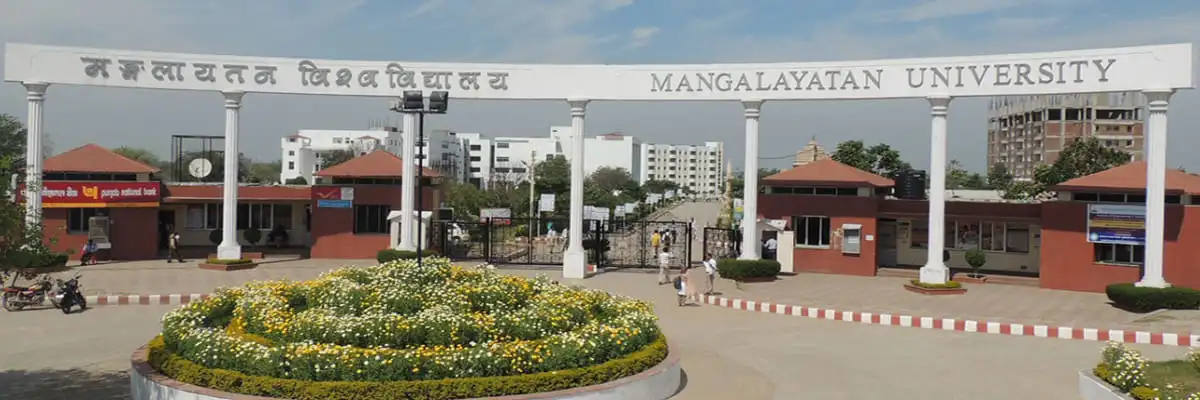
Mangalayatan University, Aligarh
Mangalayatan University is a UGC-recognized private university located in Aligarh, Uttar Pradesh, India. Known for its strong industry connections, cutting-edge curriculum, and commitment to technology-driven education, Mangalayatan University has established itself as one of central India's premier higher education institutions.
The university's vision is to foster academic excellence, industry readiness, and global competitiveness among its graduates — making it an ideal partner for EasyShiksha's mission of accessible, quality online education.
EasyShiksha has signed an MoU with Mangalayatan University to facilitate applications for various university programs and jointly offer B.Voc programs. All degrees and certifications under these programs will be awarded by Mangalayatan University. The EasyShiksha team will provide complete assistance and support throughout the admission and program process.
Mangalayatan University, Uttar Pradesh
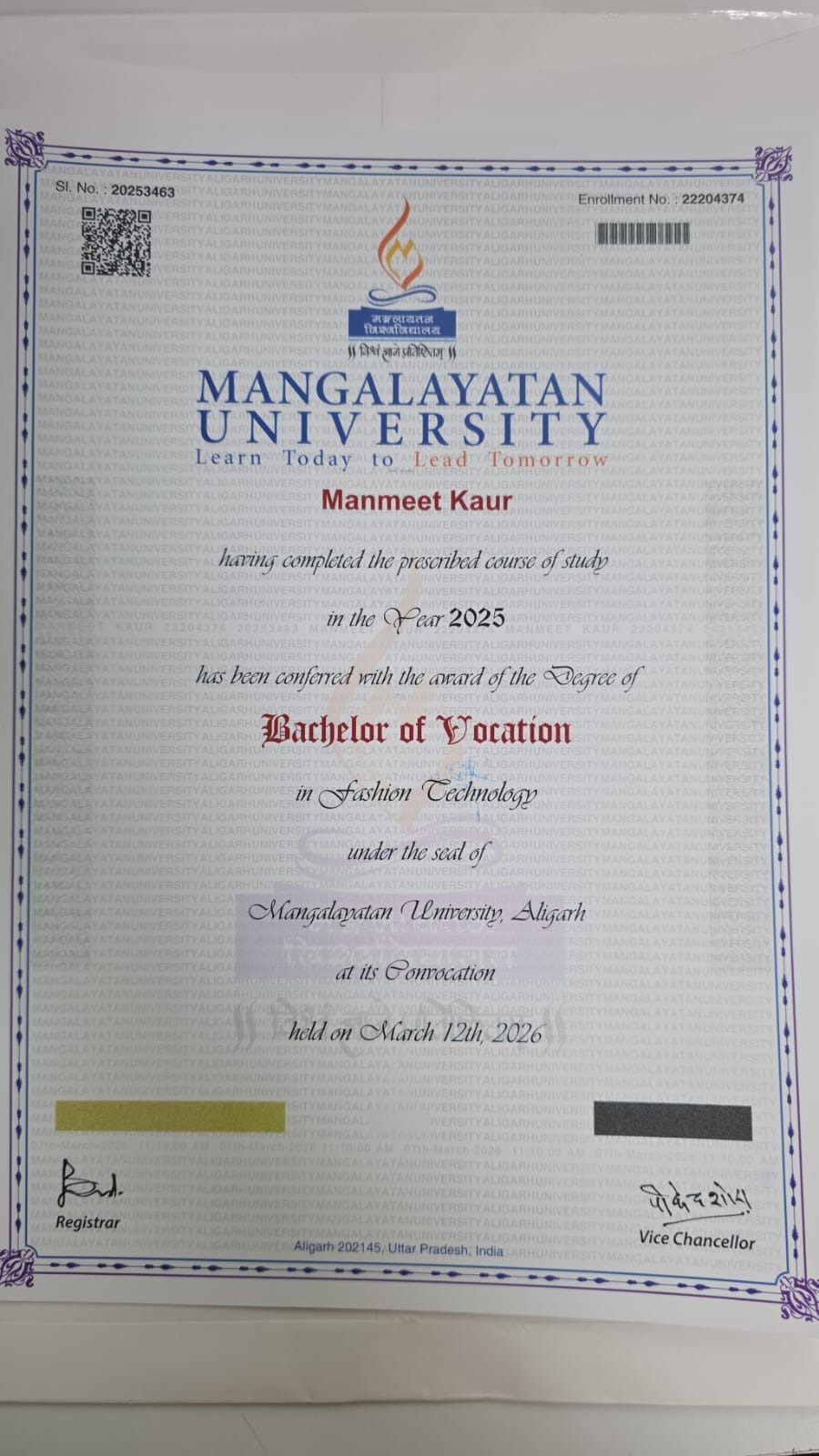
Sample Degree
Documents
Media Gallery
Frequently Asked Questions
Mangalayatan University is located at 33rd Milestone, Aligarh-Mathura Highway, Beswan, Aligarh, Uttar Pradesh, India. The campus is situated in close proximity to the Yamuna Expressway and the cities of Aligarh and Mathura.
Mangalayatan University was established in 2006 under the Mangalayatan University, Uttar Pradesh Act, 2006. The University states that it has the right to confer degrees under Sections 2(f) and 22(1) of the UGC Act.
Yes. Mangalayatan University states that it is recognized by the University Grants Commission (UGC) and was established through an Act of the Uttar Pradesh State Legislature. The University also lists NAAC A+ accreditation among its recognitions.
Yes. The University states that it is recognized by UGC-DEB for Open and Distance Learning (ODL) and is entitled by the UGC to offer online degree programmes. It also states that its online programmes are approved by AICTE.
Mangalayatan University offers programmes across multiple academic levels, including UG, PG, Diploma, PG Diploma and PhD. Its programme portfolio covers areas such as Engineering & Technology, Computer Applications, Management, Agriculture, Biotechnology, Pharmacy, Physiotherapy, Nursing, Journalism & Mass Communication and other disciplines.
Depending on the programme, applicants may be required to provide Class 10 and Class 12 certificates and marksheets, graduation/post-graduation marksheets where applicable, competitive examination rank card where applicable, migration/transfer certificate and recent passport-size photographs. Original documents may be required for verification.
Yes. The University states that students can apply for an education loan through banks, subject to the bank's eligibility criteria.
Mangalayatan University has a 70+ acre campus in Aligarh, Uttar Pradesh.
Mangalayatan University holds an A+ accreditation grade from the National Assessment and Accreditation Council (NAAC).
Yes. Mangalayatan University carries AICTE approval for its technical programmes.
The degree certificate is issued and signed directly by Mangalayatan University, rather than by EasyShiksha or another third-party platform.
The degree certificate is personalised with the student's name, programme, and completion date and carries the university's official signature and seal.
Yes. The university's campus hosts optional immersion sessions associated with select Executive and Hybrid-mode programmes.
Students can select a Mangalayatan University programme, submit their personal details and required documents, pay the application fee, and proceed through the university's application review process.
Yes. Applications submitted through EasyShiksha can be monitored through the dashboard, where applicants can view status updates such as Under Review and Accepted along with their reference ID.
The Diploma in Multimedia & Animation is a 1-year program offered by the Institute of Vocational Studies, Mangalayatan University. It is structured across two semesters and covers art, graphic design, computer skills, photography, digital illustration, computer graphics, advertising, printing, portfolio development and animation principles.
The curriculum includes Basic Art, Basic of Computer Skills & Operating Systems, Essentials & Elements of Graphic Design, Commercial Design & Communication Process, Digital Art Photography-I, English, Sketching & Drawing Practical, Python Programming, CG Applications & Advertising Techniques, Digital Illustrations & Design Process, Colour Theory & Image Graphic, Digital Photography-II, Communication Skills, Printing Processes & Costing Practical, Digital & Portfolio Design Practical, and Principles of Animation (12 Animation Principles).
Yes. The syllabus includes practical and project-based components within several subjects. These include Sketching & Drawing Practical, practical photography projects, Python mini-projects, advertising projects, digital illustration portfolio development, colour and image graphics projects, Printing Processes & Costing Practical, Digital & Portfolio Design Practical, and animation exercises. The uploaded syllabus does not specify a separate internship or industrial training component.
The curriculum supports skills in drawing and sketching, visual communication, graphic design, digital illustration, photography, photo editing, computer graphics, advertising design, colour management, printing processes, portfolio design, communication and animation principles. Students also receive foundational exposure to Python programming and computer operating systems.
Depending on their skills, portfolio and experience, students can explore areas such as graphic design, digital illustration, photography, photo editing, advertising design, multimedia, computer graphics, animation assistance, motion graphics and creative freelancing. The syllabus provides the relevant academic and practical areas for these career directions but does not guarantee employment or a particular job role.