

4.9 Rating
522 Students Enrolled
96% Recommend This Course
50+ Enrolled This Week
30-Day Money-Back Guarantee
Trending Course for Students & Job Seekers in 2026
Best Seller  · Hardware

Complete PIC Microcontroller Bootcamp

Master PIC microcontrollers to design, code, and deploy real-world embedded systems with sensors, motors, displays, and communication modules.

#1 Most Popular Online Course & Internship in Hardware You can enroll today & get certified from EasyShiksha & HawksCode.

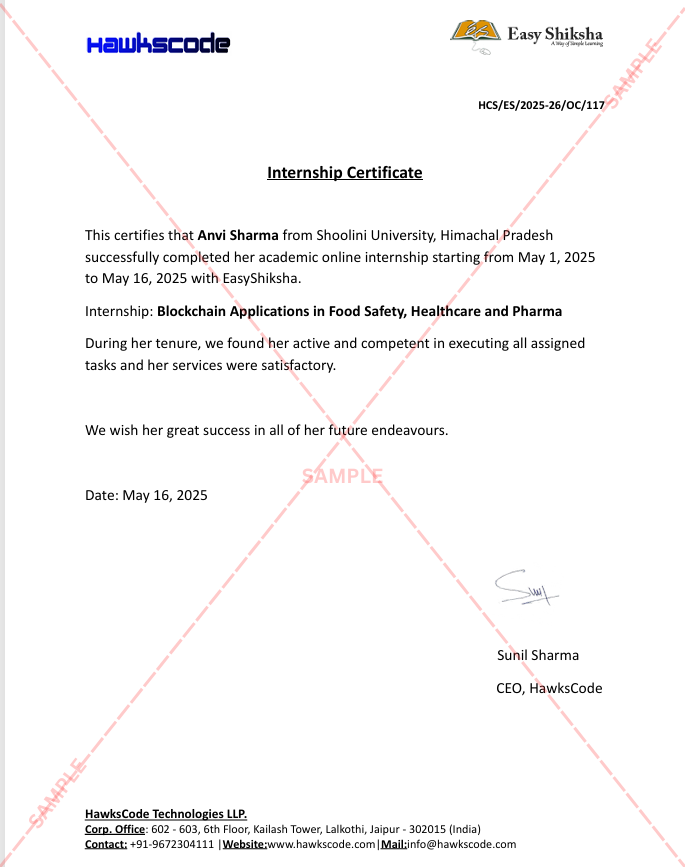
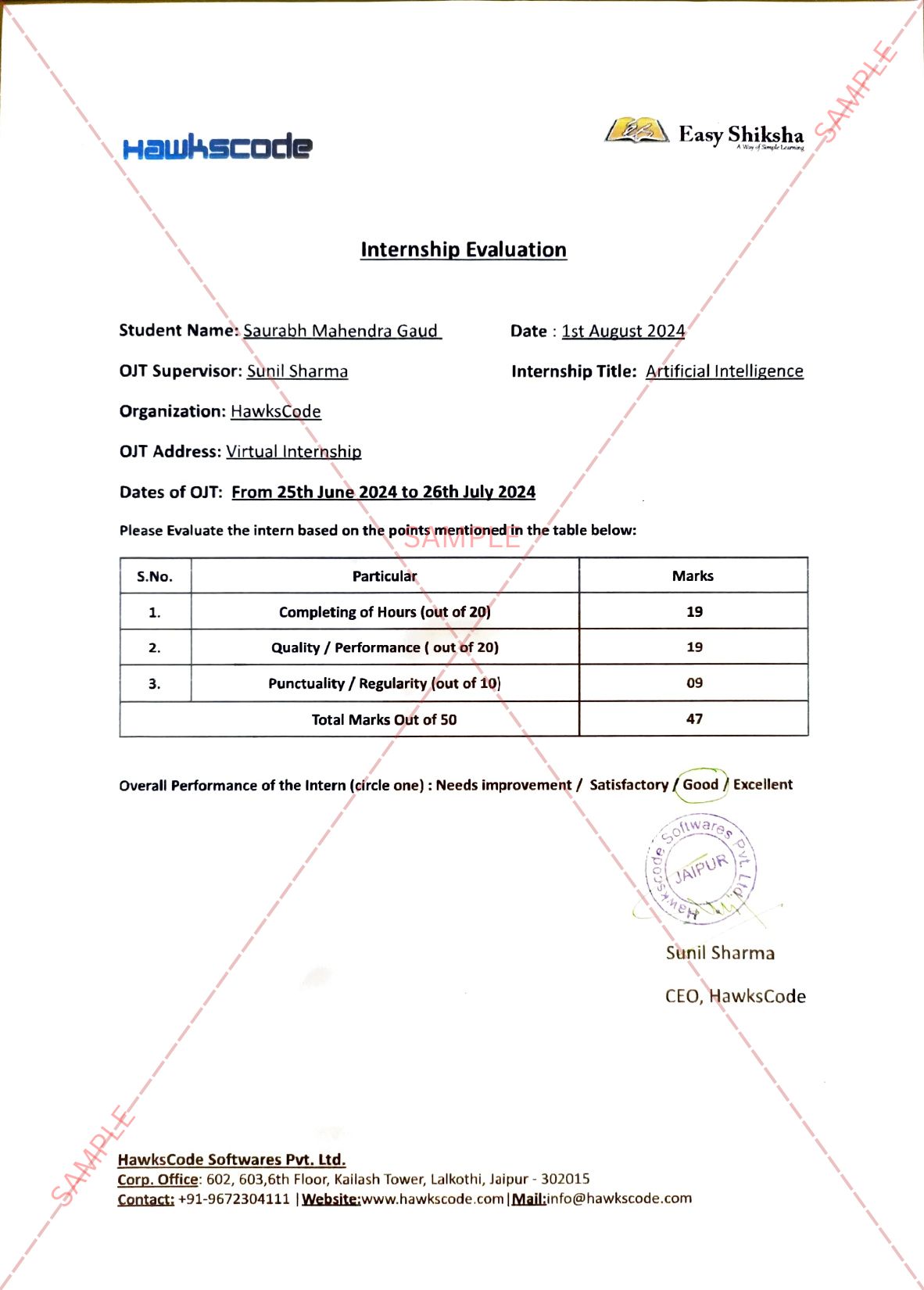
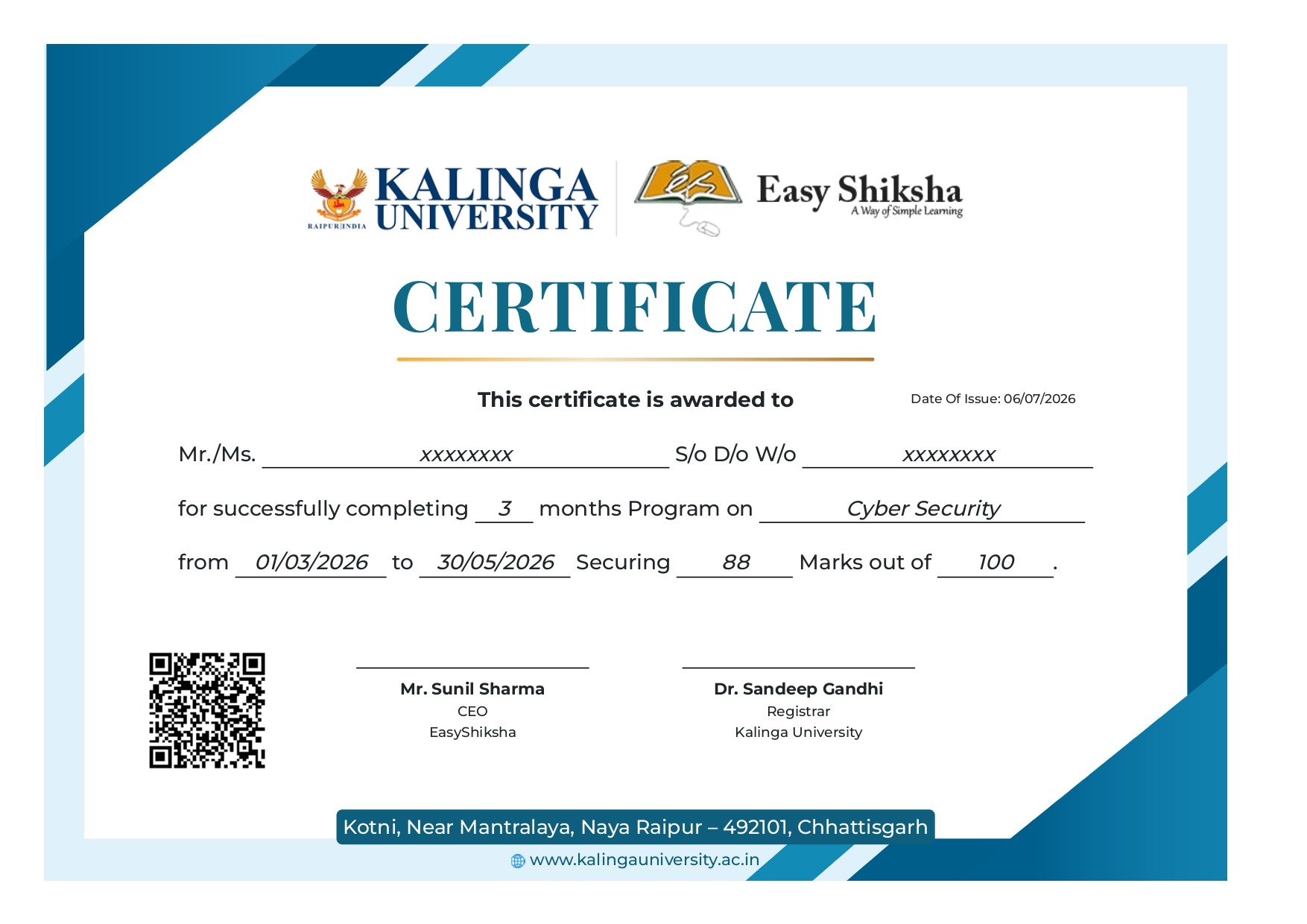
AICTE Approved Internship + Government Recognized Certificate
es-tickmark Build real-world projects
es-tickmark Internship with certificate
es-tickmark Resume-ready experience
es-tickmark Beginner to advanced
es-tickmark Lifetime access
es-tickmark Interview prep included
YG
“Internship certificate gave my profile a strong push and better visibility.” — Yash Gupta
HM
“Great value for money with a strong focus on practical learning approach.” — Hannah Moore
⭐ 4.9 Rating
522+ Students
es-tickmark Updated June 01, 2026
50+ enrolled this week
Affordable Program for Students & Job Seekers · Includes Course + Internship Access
Start learning immediately after enrollment — no waiting
es-tickmark Join 5,00,000+ students already enrolled worldwide
es-tickmark No risk — 30-day full refund guarantee
es-tickmark Start instantly after payment — access in seconds
es-tickmark Certificate + Internship Joining Letter included
✔ No hidden fees ✔ Transparent pricing ✔ Secure checkout
Start today — see results in days, not months Join thousands building their careers Learn at your own pace, complete anytime
Not satisfied? Get a full refund — no questions asked, within 30 days
course-thumb
On-Demand Videos Free Preview
Student-Friendly Pricing
Includes internship + certificates
Continue to Enrollment
Pricing shown on next step — no hidden charges
30-day money-back guarantee
This course includes:
On-Demand Videos 489 On-demand Videos
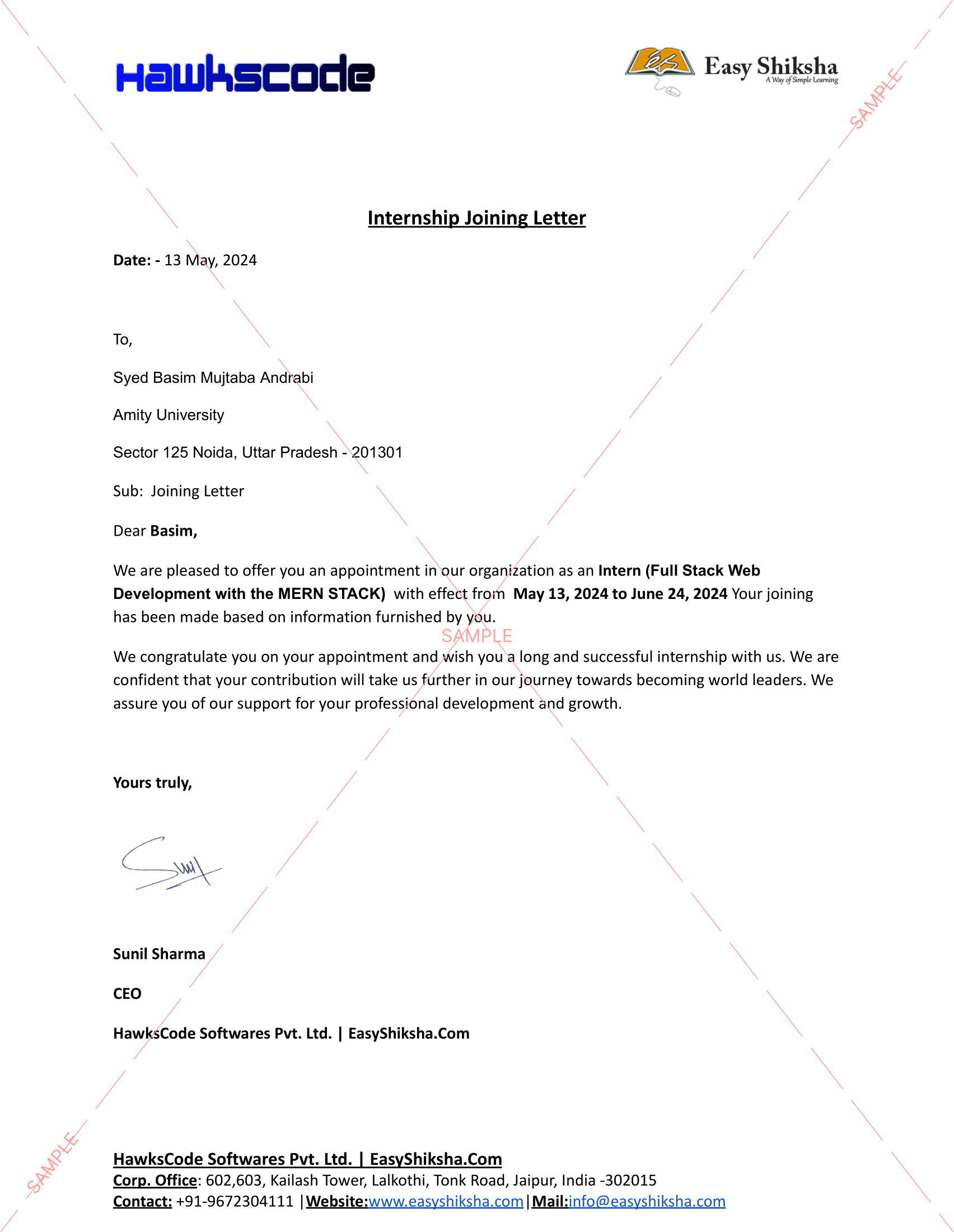
Internship Joining Letter Internship Joining Letter

2 Certificates (Course + Internship) 2 Certificates (Course + Internship)

Lifetime Access Lifetime Access

Mobile & Desktop Access Mobile & Desktop Access
Why 522+ Students Choose This Course & Internship
es-tickmark
Add Experience to Resume
Get an official internship credential that stands out to employers — even as a fresher.
es-tickmark
Increase Job Chances
Stand out in campus placements and job applications with real, verifiable experience.
es-tickmark
Boost Salary Potential
Developers with certified skills and internship background command higher starting salaries.
es-tickmark
Start in 5 Minutes
Instant access after payment. No waiting, no shipping. Begin your career journey today.
Competitive Advantage

Why This Course and Internship Stands Out

See exactly what separates EasyShiksha students from everyone else

Without This Course
es-tickmark Watching scattered YouTube videos with no structure
es-tickmark No certificate — nothing to show employers
es-tickmark No internship experience on resume
es-tickmark Wasting months without clear direction
es-tickmark Struggling to stand out in job applications
es-tickmark No proof of practical skills
vs
With EasyShiksha
es-tickmark Structured, beginner-to-advanced learning path
es-tickmark Verified certificate — shareable on LinkedIn
es-tickmark Real internship offer letter for your resume
es-tickmark Go from zero to job-ready in one programme
es-tickmark Resume-ready experience before graduation
es-tickmark Practical projects you can show any recruiter
Continue to Enrollment
✔ 30-day refund  ✔ Instant access  ✔  Includes Internship
MOST VALUABLE BENEFIT
Get Real Experience — Not Just Learning
Exclusive Career Benefit

Internship Opportunity Included With This Course

"This is not just a course — it's real career experience. Walk away with documents that prove your skills to any employer."


Official Offer Letter
Internship Certificate
Real-World Experience
LinkedIn Shareable
Add to Resume
✔ Instant · ✔ Official Offer Letter · ✔ 30-Day Refund
Use this internship as proof of experience in job interviews
Helps you stand out from hundreds of other candidates
Shareable on LinkedIn — visible to recruiters instantly
es-tickmark
Internship Certificate
Verified credential for your portfolio
es-tickmark
Real Projects
Hands-on experience with live deliverables
es-tickmark
LinkedIn Badge
Share your achievement publicly with pride
Many students use this internship to showcase experience in job interviews — even as freshers with no prior work history. It's a real differentiator that sets you apart from hundreds of other applicants.
Perfect Fit Check

This Course is Perfect For

Whether you're starting from scratch or switching careers — this course is designed with your success in mind.


es-tickmark
College Students
Add a verified internship & certificate to your resume before graduation. Stand out in campus placements.
✓ Most Popular
es-tickmark
Complete Beginners
Zero experience? No problem. We start from absolute scratch and guide you step by step.
✓ Beginner Friendly
es-tickmark
Job Seekers
Get real internship experience + certificate to show employers proof of your practical skills.
✓ Career Boost
es-tickmark
Career Switchers
Transitioning to tech? Build portfolio-worthy projects and gain the credential that opens doors.
✓ Fast Track
What You'll Achieve After This Course
es-tickmark
Learn fundamentals of PIC microcontroller architecture and embedded systems
es-tickmark
Build real-world circuits interfacing sensors motors and display modules
es-tickmark
Develop embedded C programs for controlling hardware and automation tasks
es-tickmark
Apply debugging techniques to fix errors in live project environments
es-tickmark
Master tools like MPLAB X and simulation for efficient development
es-tickmark
Design and implement communication protocols like UART SPI and I2C
es-tickmark
Create a complete embedded system capstone project with real applications
es-tickmark
Gain internship experience and earn certificate for embedded systems careers
Why Students Choose This Course & Internship
es-tickmark
Beginner Friendly
No prior experience needed. We start from absolute zero and take you to job-ready.
es-tickmark
Practical Learning
Apply what you learn through guided exercises and real-world activities designed to build confidence.
Exclusive
es-tickmark
Internship Included
Official offer letter + internship certificate. Something most expensive courses don't give.
es-tickmark
Affordable Pricing
Premium content at a student-friendly price. Zero risk with 30-day money-back guarantee.
es-tickmark
Lifetime Access
Pay once, access forever. Revisit any lesson, any time, on any device — no expiry.
es-tickmark
Interview Prep
Dedicated module with real JS interview questions asked in top company placements.
Course Description

Whether you're just starting in electronics or looking to strengthen your embedded systems knowledge, this boot camp will guide you from the basics of PIC microcontrollers to building full-fledged embedded applications. With over 53 hours of content, structured daily learning goals, and a massive library of real-world projects, this course is your gateway to professional-level microcontroller development.

You'll move from setting up your tools and writing your first program to mastering timers, interrupts, ADC, digital I/O, and interfacing with sensors, motors, displays, and communication modules.

What You'll Learn

  • The complete architecture and working of PIC microcontrollers
  • Writing, compiling, and debugging embedded C code for PIC
  • Configuring and using I/O pins, ADC, PWM, Timers, and UART
  • Interfacing with real-world devices: LEDs, sensors, motors, and displays
  • Interrupts, delays, bit manipulation, and memory optimization
  • Advanced topics: I2C, SPI, EEPROM, LCDs, keypad interfacing, and more
  • Structured simulation using MPLAB X and real hardware deployment
  • How to build, debug, and optimize complete embedded projects


What You’ll Build

  • Sensor-activated lighting systems
  • Temperature and humidity data loggers
  • Security systems with keypad and LCD integration
  • Motor control applications
  • Data transmission with UART, I2C, and SPI
  • Full real-world automation projects and mini-systems

Course Content
Preview these lessons before enrolling — 2 free lessons included
489 lessons
On-Demand Videos
Introduction
FREE
On-Demand Videos
Overview and The Software to be used
FREE
🔓 Free Preview Ends Here
es-tickmark Unlock 487 More Lessons + Internship Access
Full course + real internship experience — affordable one-time access
🔒
How to increase the font size in the Programming environment
🔒
Why C and Basic Program Structure
🔒
Variables
🔒
Statement and Operators
🔒
LOOP Statements
🔒
Conditions Using If and Switch
🔒
Numbering System
🔒
Using Functions
🔒
Using Operators
🔒
16 End
🔒
Download and Install Microsoft Visual Studio
🔒
Basics + Create Your First Project
🔒
Basic Input and Output using Console Methods
🔒
Code Your First Project
🔒
String Arguments Explained
🔒
Syntax Basics
🔒
Data Types
🔒
Operators
🔒
Operators Example
🔒
Practice Example
🔒
If Else + Nested If
🔒
If Statement
🔒
Decision Making using Switch Case
🔒
While Loop + Do While
🔒
For Loop
🔒
32 Introduction
🔒
Who We Are
🔒
How to install Proteous Professional
🔒
How to Install MikroC Pro for PIC Programming
🔒
Overview and the software to be used
🔒
Compilation Process and Your First C Project
🔒
How to increase the font size in the Programming Environment
🔒
Why C and Basic Program Structure
🔒
Variables
🔒
Statements and Operators
🔒
LOOP Statements
🔒
Conditions if and Switch
🔒
Numbering System
🔒
Using Operators
🔒
Using Functions
🔒
Digital Inputs and Delay Loops
🔒
First Project in Proteus
🔒
First Project in MikroC
🔒
How to Deal with PIC Ports + First Code
🔒
Necessary Connections
🔒
Simple LED example to get things on the right track
🔒
Flasher Circuit PIC Microcontroller
🔒
Lighting LED Follower Example
🔒
Control LED Using Push Buttons
🔒
Controlling Seven Segment using BCD Counter PIC Microcontroller
🔒
Controlling LCD using PIC Microcontroller
🔒
Display and Move Text on LCD
🔒
Stepper Motor Control
🔒
Dot Matrix Control
🔒
Keypad Interface and control with PIC Microcontroller
🔒
PIC Manufacture Microship Company
🔒
Programming PIC and Circuit Prototyping
🔒
PIC Architecture and PIC Families
🔒
Harvard Architecture vs Von Neoman Architecture
🔒
PIC16F84 Microcontrollers Explained
🔒
Single Word Instructions
🔒
System Reset
🔒
Ports
🔒
PIC Architecture 2 Ports and Registers
🔒
Status Register
🔒
Option Register
🔒
Banking Mechanism
🔒
SFRs and GPRs
🔒
Memory Organization
🔒
Analog To Digital Conversion
🔒
ADC Module in PIC16F877A
🔒
ADC Module Configuration Bits and Example
🔒
Interrupts and External Interrupt Source
🔒
PortB Line Change Interrupt Source
🔒
EEPROM Data Write Interrupt
🔒
Interrupt Handlers and INTCON Register
🔒
Option Register
🔒
Programming the External Interrupt RB0 Example
🔒
PortB 4 7 Status Change Interrupt
🔒
RB0 and RB4-7 Interrupt Example
🔒
Serial Communication Introduction and Basics
🔒
Synchronous Serial Transmission and RS232
🔒
Essential Concepts in Serial Communication
🔒
PIC TO PIC And PIC TO PC Communication
🔒
Experiment #9 Analog Digital Conversion
🔒
Experiment #10 Unipolar Stepper Motor Control
🔒
Experiment #11 Dot-Matrix Display
🔒
Experiment #12 Serial Interface with PIC Microcontroller
🔒
96 Introduction
🔒
Voltage Current and Resistance
🔒
Types of Current
🔒
Types of Circuits
🔒
Volt Ohm Meter Basics
🔒
Measuring Voltage
🔒
Measuring Current
🔒
Measuring Currents - Lab Experiment Explained
🔒
Measuring Resistance
🔒
Circuit Diagram Basics and Basic Symbols
🔒
Introduction To Resistor and Color Band Coding
🔒
Power Dissipation and Parallel and Series Resistors
🔒
Ohm_s Law
🔒
Introduction To Capacitors
🔒
Capacitors Behavior and Series and Parallel
🔒
Introduction to Inductors
🔒
Introduction to Diode Zener and LED
🔒
Introduction to Transistors
🔒
114 Introduction
🔒
Who We Are
🔒
Interrupts and External Interrupt Source
🔒
PortB Line Change Interrupt Source
🔒
EEPROM Data Write Interrupt
🔒
Interrupt Handlers and INTCON Register
🔒
Option Register
🔒
Programming the External Interrupt RB0 Example
🔒
PortB 4 7 Status Change Interrupt
🔒
RB0 and RB4-7 Interrupt Example
🔒
Serial Communication Introduction and Basics
🔒
Synchronous Serial Transmission and RS232
🔒
PIC TO PIC And PIC TO PC Communication
🔒
Serial Communication Example PIC TO PC
🔒
Timers and Counters
🔒
Timer0 Interrupt
🔒
Delay Using Timer0
🔒
Timer0 Interrupt Programming Delay Loops
🔒
Interrupt Driven Timers
🔒
Timers0 as a Counter
🔒
134 End of Course
🔒
Download and Install MikroC Software
🔒
Download and Install Proteus Software
🔒
137 Introduction
🔒
What is I2C
🔒
Things You Need to Know about I2C
🔒
Advantages to I2C
🔒
Disadvantages to I2C
🔒
I2C Bus Operation
🔒
Operation Explained in More Details
🔒
I2C Pins in Arduino
🔒
Arduino Wire Library I2C Functions
🔒
Arduino to Arduino I2C Example Circuit Design
🔒
Arduino to Arduino I2C Example Coding
🔒
Arduino to DS1307 Time and Date Module Circuit Design
🔒
I2C Library Routines
🔒
Circuit Design for I2C Testing
🔒
Coding Simple Example
🔒
Reading Data from DS1307 time and Date IC
🔒
What is SPI
🔒
SPI Working Principle
🔒
SPI Library in MikroC Pro IDE
🔒
Circuit Design
🔒
Coding
🔒
Arduino SPI Pins
🔒
Arduino SPI Library
🔒
Circuit Design Arduino to Arduino SPI Communication
🔒
Coding Master
🔒
Coding Slave
🔒
Introduction to the USB World
🔒
Advantages of USB Communication
🔒
USB Pin-out Port Wiring
🔒
USB Transfer Speeds
🔒
USB Device Classes
🔒
Introduction to Descriptors
🔒
Creating a descriptor file in MikroC
🔒
Creating a descriptor file in MikroC - Practical
🔒
USB Libraries HID Enable
🔒
USB RAM
🔒
USB Functions
🔒
Circuit Design for First Example
🔒
Installing the Virtual USB Port Feature to enable Simulation
🔒
First Example Send and Receive Data
🔒
Second Example Send Characters and Check the incoming Data
🔒
Third Example Turn Leds On and Off via USB
🔒
Forth Example Reading Input - Button Press
🔒
Burning the Code to PIC using A Programmer
🔒
MikroC and Ql2006 Right Configuration for the Code file
🔒
DEVICE DRIVERS FOR USB interfacing with pic microcontroller
🔒
Practical Circuit Assembly
🔒
What is a GUI
🔒
Microsoft Visual Studio
🔒
Proteus Virtual USB Installation
🔒
Different Communication methods that Can be Used
🔒
What is Serial Communication and RS232
🔒
How To Create Your First GUI Project Quick Intro
🔒
How to Create RS232 Serial Interfacing Circuit Board
🔒
Circuit Design for Two Leds Controlled by PIC Microcontroller
🔒
Code Your Microcontroller to Send and Receive Serial Data
🔒
Create Your First GUI to Control Two Leds
🔒
Control PIC Microcontroller using GUI
🔒
Download and Install Proteus Software
🔒
Download and Install MikroC Software
🔒
Download and Install Arduino Software
🔒
Download and Install Fritzing Software
🔒
Download and Install Microsoft Visual Studio
🔒
Who We Are
🔒
201 Introduction
🔒
Hardware and Software Requirements
🔒
Different Types of Detectors
🔒
Different Types of Flame Detectors
🔒
Working Principle behind Flame Detector
🔒
Download and Install Proteus Software
🔒
Circuit Connection
🔒
IR Module
🔒
Download and Install MikroC Software
🔒
Coding
🔒
Download and Install Altium
🔒
Install Altium
🔒
PCB Design
🔒
Finishing the PCB
🔒
215 Introduction
🔒
Educational Engineering Team - Who we are
🔒
Hardware and Software Requirements
🔒
What is PIC Microcontroller
🔒
What is LCD Display
🔒
What is PICSimlab Alternative Simulation Software
🔒
LCD Library and Routines
🔒
LCD Initialization
🔒
LCD Output to Display Text on LCD
🔒
LCD Character Output Routine
🔒
LCD Commands and how to deal with them
🔒
How to Use PICSimLab Simulation Boards with MikroC
🔒
LCD Simulation
🔒
LCD Shift Text
🔒
What is MikroC Pro and How to Download and Install it
🔒
What is Proteus Professional Download and Install Part1
🔒
Who We Are
🔒
232 Introduction
🔒
Quick Review
🔒
Software for Coding and Simulation
🔒
Serial Port on PIC Microcontroller
🔒
Schematic Diagram
🔒
More about Schematic Diagram
🔒
Programming Code
🔒
Programming Code Explained
🔒
Results and Project Testing
🔒
241 The End
🔒
Who We Are
🔒
Introduction
🔒
Who We Are
🔒
Hardware and Software Requirements
🔒
Concept Behind This Project
🔒
What is DTMF
🔒
Basic Layout and Function Explained
🔒
DTMF Decoder
🔒
DTMF Decoder Circuit Explained
🔒
Headphone Jack Explained in Details
🔒
DTMF Circuit Schematic
🔒
Circuit Design for PIC Microcontroller
🔒
C Coding and Simulation for DTMF Project
🔒
Make DTMF Decoder Module PCB
🔒
DTMF Decoder Practical Example
🔒
Introduction
🔒
Who We Are
🔒
How to install Proteous Professional
🔒
How to Install MikroC Pro for PIC Programming
🔒
Overview and the software to be used
🔒
Compilation Process and Your First C Project
🔒
How to increase the font size in the Programming environment
🔒
Why C and Basic Program Structure
🔒
Variables
🔒
Statements and Operations
🔒
LOOP Statements
🔒
Conditions If and Switch
🔒
Numbering System
🔒
Using Operators
🔒
Using Functions
🔒
Digital Inputs and Delay Loops
🔒
PIC Manufacturer Microchip Company
🔒
Programming PIC and Circuit Prototyping
🔒
PIC Architecture and PIC Families
🔒
Harvard Architecture vs Von Neoman Architecture
🔒
PIC16F84 Microcontrollers Explained
🔒
Single Word Instruction
🔒
Pin Description and Oscillator Types
🔒
System Reset
🔒
Ports
🔒
PIC Architecture 2 Ports and Registries
🔒
Status Register
🔒
Option Register
🔒
Banking Mechanism
🔒
SFRs and GPRs
🔒
Memory Organization
🔒
First Project in Proteus
🔒
First Project MikroC
🔒
How to Deal with PIC Ports + First Code
🔒
Necessary Connections
🔒
Simple LED Example to get things on the right track
🔒
Flasher circuit PIC Microcontroller
🔒
Lighting LED Follower Example
🔒
Control LED using Push Button
🔒
Controlling Seven Segment using BCD Counter PIC Microcontroller
🔒
Controlling LCD using PIC Microcontroller
🔒
Display and Move Text on LCD
🔒
Stepper Motor Control
🔒
Dot Matrix Control
🔒
Keypad Interface and control with PIC Microcontroller
🔒
PIC Programming Options
🔒
Experiment #1 Introduction to Software Tools MikroC, PROTEUS, and QL-2006
🔒
Experiment #2 Introduction to PIC16F84A
🔒
Experiment #3 Introduction to MikroC Language
🔒
Experiment #4 Some Logic Functions Design
🔒
Experiment #5 Delay Loops Applications Flasher & Counter & Push Buttons
🔒
Experiment #6 7 segment Interface with PIC Microcontroller & Counter Application
🔒
Experiment #7 LCD Interface with PIC Microcontroller
🔒
Experiment #8 Keypad Interface with PIC
🔒
Experiment #9 Analog Digital Conversion
🔒
Experiment #10 Unipolar Stepper Motor Control
🔒
Experiment #11 Dot-Matrix Display
🔒
Experiment #12 Serial Interface with PIC Microcontroller
🔒
Analog To Digital Conversion
🔒
ADC Module in PIC16F877A
🔒
ADC Module Configuration Bits and Example
🔒
Interrupts and External Interrupt Source
🔒
PortB Line Change Interrupt Source
🔒
EEPROM Data Write Interrupt
🔒
Interrupt Handlers and INTCON Register
🔒
Option Register
🔒
Programming the External Interrupt RB0 Example
🔒
PortB 4 7 Status Change Interrupt
🔒
RB0 and RB4-7 Interrupt Example
🔒
Serial Communication Introduction and Basics
🔒
Synchronous Serial Transmission and RS232
🔒
Essential Concepts in Serial Communication
🔒
PIC TO PIC And PIC TO PC Communication
🔒
Serial Communication Example PIC TO PC
🔒
Timers and Counters
🔒
Timer0 Interrupt
🔒
Delay Using Timer0
🔒
Timer0 Interrupt Programming Delay Loops
🔒
Interrupt Driven Timers
🔒
Timers0 as a Counter
🔒
Introduction
🔒
Quick Overview
🔒
Quick Comparison
🔒
PIC 16F
🔒
PIC 18F
🔒
PIC18F Vs PIC16F
🔒
IO Register Differences
🔒
Writing Bit by Bit TRIS PORT and LAT
🔒
Writing to Whole Register
🔒
Coding Flasher
🔒
Simulate Flasher
🔒
Coding Flasher with Input
🔒
Who We Are
🔒
Introduction
🔒
First Project Goal and Components
🔒
First Project Circuit
🔒
First Project Code Explained
🔒
First Project Simulation
🔒
Burning The Code To PIC Microcontroller
🔒
First Project Practical Work
🔒
Second Project Goal and Components
🔒
Second Project Circuit
🔒
Second Project Code
🔒
Second Project Simulation
🔒
Second Project Practical Work
🔒
Third Project Goal and Components
🔒
Third Project Circuit
🔒
Third Project Code and Simulation
🔒
Third Project Practical Work
🔒
End
🔒
Download and Install MikroC Software
🔒
Download and Install Proteus Software
🔒
Who We Are
🔒
Introduction
🔒
Who We Are
🔒
Hardware and Software Requirements
🔒
Working Principle
🔒
Circuit Design
🔒
Coding PIC Microcontroller to Send and Receive Serial Data
🔒
Preparing Python and PySerial Library
🔒
Download and Install Python Editor
🔒
Getting Started with Python Coding
🔒
Python Script Coding
🔒
Virtual COM Port Setup
🔒
Configure Serial Communication
🔒
Editing Circuit and C Code
🔒
Editing Python Script and Practical Implementation
🔒
PIC Microcontroller to Python
🔒
Introduction
🔒
Installing Python and PIP
🔒
Main Communication Concept Explained
🔒
Uploading Arduino Communication Sketch
🔒
Installing Pyfirmata and a Python text editor
🔒
Code and Control Arduino with Python Code
🔒
Reading Digital Input and Sending Digital Output with Python
🔒
Download and Install MikroC Pro
🔒
Download And Install Proteus Software Free
🔒
Introduction
🔒
Communication Protocol RS232
🔒
Serial Ports and Connectors
🔒
Setting Communication Protocol RS232 in Windows Environment
🔒
Download and Install Visual Studio Final
🔒
Downloading and Installing Proteus and Mikroc
🔒
Download and Install MikroC Software
🔒
Who We Are
🔒
Introduction
🔒
What is I2C
🔒
Things You Need to Know about I2C
🔒
Advantages to I2C
🔒
Disadvantages to I2C
🔒
I2C Bus Operation
🔒
Operation Explained in More Details
🔒
I2C Pins in Arduino
🔒
Arduino Wire Library I2C Functions
🔒
Arduino to Arduino I2C Example Circuit Design
🔒
Arduino to Arduino I2C Example Coding
🔒
Arduino to DS1307 Time and Date Module Circuit Design
🔒
I2C Library Routines
🔒
Circuit Design for I2C Testing
🔒
Coding Simple Example
🔒
Reading Data from DS1307 Time and Date IC
🔒
What is SPI
🔒
SPI Working Principle
🔒
SPI Library in MikroC Pro IDE
🔒
Circuit Design
🔒
Coding
🔒
Arduino SPI Pins
🔒
Arduino SPI Library
🔒
Circuit Design Arduino to Arduino SPI Communication
🔒
Coding Master
🔒
Coding Slave
🔒
Introduction to the USB World
🔒
Advantages of USB Communication
🔒
USB Pin-out Port Wiring
🔒
USB Transfer speeds
🔒
USB Device Classes
🔒
Introduction to Descriptors
🔒
Creating a descriptor file in MikroC
🔒
Creating a descriptor file in MikroC - Practical
🔒
USB Libraries HID Enable
🔒
USB RAM
🔒
USB Functions
🔒
Circuit Design for First Example
🔒
Installing the Virtual USB Port Feature to enable Simulation
🔒
First Example Send and Receive Data
🔒
Second Example Send Characters and Check the incoming Data
🔒
Third Example Turn Leds On and Off via USB
🔒
Forth Example Reading Input - Button Press
🔒
Burning the Code to PIC using A Programmer
🔒
MikroC and Ql2006 Right Configuration for the Code file
🔒
DEVICE DRIVERS FOR USB interfacing with pic microcontroller
🔒
Practical Circuit Assembly
🔒
What is GUI
🔒
Microsoft Visual Studio
🔒
Proteus Virtual USB Installation
🔒
Different Communication Methods that Can be used
🔒
What is Serial Communication and RS232
🔒
How To Create Your First GUI Project Quick Intro
🔒
How to Create RS232 Serial Interfacing Circuit Board
🔒
Circuit Design for Two Leds Controlled by PIC Microcontroller
🔒
Code Your Microcontroller to Send and Receive Serial Data
🔒
Create Your First GUI to Control Two Leds
🔒
Control PIC Microcontroller using GUI
🔒
Download and Install Proteus Software
🔒
Download and Install MikroC Software
🔒
Download and Install Arduino Software
🔒
Download and Install Fritzing Software
🔒
Download and Install Microsoft Visual Studio
🔒
Who We Are
🔒
Introduction
🔒
Interfacing a Light Emitting Diode (LED)
🔒
LED Interfacing Explained with Example
🔒
LED Interfacing Practical
🔒
Switch Interfacing
🔒
LDR Interfacing
🔒
Pizeo Sound Tone Interfacing
🔒
LCD Display Interfacing
🔒
What is LCD Display
🔒
What is MikroC Pro and How to Download and Install it
🔒
What is PICSimlab Alternative Simulation Software
🔒
LCD Library and Routines
🔒
LCD Initialization
🔒
LCD Output to Display Text on LCD
🔒
LCD Character Output Routine
🔒
LCD Commands and how to deal with them
🔒
How to Use PICSimLab Simulation Boards with MikroC
🔒
LCD Simulation
🔒
LCD Shift Text
🔒
7 Segment Display Interfacing
🔒
7 Segment Display Interfacing Practical Lesson with Coding
🔒
Interfacing a Transistor
🔒
Darlington Driver IC Interfacing
🔒
Buzzer Interfacing
🔒
Relay Interfacing
🔒
Download And Install Proteus Software Free
🔒
Download and Install MikroC Software
🔒
Who We Are
🔒
Bonus Lecture
Everything You Get
One-time payment. Everything included. No hidden fees.
On-Demand Videos
Full Course Access
489 on-demand video lessons — watch anytime, any device
internhsip2
Official Internship
Real internship offer letter accepted by recruiters
Certificates
2 Certificates
Course completion + internship certificate
Lifetime_Access
Lifetime Access
Including all future updates at no extra cost
project
Projects & Assignments
Real-world skills to build your portfolio
es-interview2
Interview Prep Materials
Top interview questions with model answers
Your Journey After Enrollment
1
Step 1
Start Learning Instantly
Get instant access to your course. Begin with fundamentals and structured lessons designed for beginners.
2
Step 2
Build Strong Concepts
Learn core concepts with easy explanations and practical examples step-by-step.
3
Step 3
Apply Your Skills
Work on real-world tasks and projects to gain hands-on experience.
Step 4
Get Certified + Internship
Receive your certificate and internship experience to showcase on your resume and LinkedIn.
Instant access after payment
Don't Miss Out — This Has Real Consequences
Every day you delay is a day without internship experience on your resume. Your competition is already enrolling.
es-tickmark Missing this = losing the internship credential
es-tickmark Missing this = losing your early-access advantage
es-tickmark Missing this = falling behind candidates who did enroll


What Exactly Do You Get?
Everything Included — Crystal Clear
No hidden fees. No confusion. Here's exactly what you unlock.
On-Demand Videos
Full Course Access
489 structured video lessons, available instantly after payment, forever
internhsip2
Real Internship Experience
Official offer letter + internship programme you can add to your resume today
Certificates
2 Verified Certificates
Course Completion Certificate + Internship Certificate — both shareable on LinkedIn
es-tickmark
Lifetime Access
Pay once, access forever. All future updates included at no extra cost
es-tickmark
Concept Reinforcement
Understand topics with guided learning
es-tickmark
30-Day Money-Back Guarantee
Zero risk. Full refund within 30 days if you're not 100% satisfied
Everything listed above — in one student-friendly package
Still Not Sure?
We've got answers to your concerns
No judgement. These are the most common doubts students have — and why they don't matter.
es-tickmark
"I have zero prior experience"
This course starts from absolute zero. Thousands of beginners have completed it.
es-tickmark
"Will this work for a student?"
This is built specifically for students. The internship gives you the resume boost you need before graduation or first job applications.
es-tickmark
"I don't have much time"
Lifetime access means you go at your own pace — 30 minutes a day is enough. No deadlines, no pressure, no expiry.
es-tickmark
"What if I need help?"
Support is available. Reach out via our help centre and get guidance. You're never stuck alone in this programme.
Chat with us Chat with us first →
Frequently Asked Questions
Is the course 100% online? Does it require any offline classes too? +
The following course is fully online, and hence there is no need for any physical classroom session. The lectures and assignments can be accessed anytime and anywhere through a smart web or mobile device.
When can I start the course? +
Anyone can choose a preferred course and start immediately without any delay.
What are the course and session timings? +
As this is a purely online course program, you can choose to learn at any time of the day and for as much time as you want. Though we follow a well-established structure and schedule, we recommend a routine for you as well. But it finally depends on you, as you have to learn.
What will happen when my course is over? +
If you have completed the course, you would be able to have lifetime access to it for future reference too.
Can I download the notes and study material? +
Yes, you can access and download the content of the course for the duration. And even have lifetime access to it for any further reference.
What software/tools would be needed for the course and how can I get them? +
All the software/tools that you need for the course would be shared with you during the training as and when you need them.
Do I get the certificate in a hard copy? +
Yes. A hard copy of the certificate will be issued and sent to the registered address via post. In addition, a soft copy of the certificate will also be provided, which can be downloaded for digital use.
I’m unable to make a payment. What to do now? +
You can try to make the payment through a different card or account (maybe a friend or family). If the problem persists, email us at info@easyshiksha.com
The payment got deducted, but the updated transaction status is showing “failed”. What to do now? +
Due to some technical faults, this can happen. In such a case the amount deducted will be transferred to the bank account in the next 7-10 working days. Normally the bank takes this much time to credit the amount back into your account.
The payment was successful but it still shows ‘Buy Now’ or not showing any videos on my dashboard? What should I do? +
At times, there may be a slight delay in your payment reflecting on your EasyShiksha dashboard. However, if the problem is taking longer than 30 minutes, please let us know by writing to us at info@easyshiksha.com from your registered email id, and attach the screenshot of the payment receipt or transaction history. Soon after verification from the backend, we will update the payment status.
What is the refund policy? +
If you have enrolled, and are facing any technical problem then you can request a refund. But once the certificate has been generated, we shall not refund that.
Can I just enrol in a single course? +
Yes! You surely can. To begin this, just click the course of your interest and fill in the details to enrol. You are ready to learn, once the payment is made. For the same, you earn a certificate too.
My questions are not listed above. I need further help. +
Please contact us at: info@easyshiksha.com
Don't Wait — Act Now

Why Start Now?
The Opportunity Won’t Wait.

Every day you delay is a missed opportunity to grow your skills. Learners who start today gain the advantage — whether it's building skills, improving careers, or unlocking new opportunities.

High Competition in Every Field
Thousands of learners are upgrading their skills daily. Those with practical knowledge and certification stand out faster.
Skills Are in High Demand
Industries are evolving rapidly. Learning relevant skills today opens doors to better opportunities tomorrow.
Early Learners Get the Advantage
Starting early helps you gain experience, confidence, and a strong edge over others.
Limited-Time Access Benefits
This offer is available for a limited time. Secure your access and start learning before the opportunity closes.
Start today — see results in days, not months
3M+ Learners Worldwide
Actively learning new skills online
85%+ Learners Prefer Certified Courses
Certification boosts credibility
5,00,000+ Students Enrolled
Across our programs
4.9★ Average Rating
From verified learners
96% Recommend Our Courses
Trusted by students
Flexible Learning
Learn anytime, anywhere

Still Thinking?

Here's everything that makes this a no-brainer:

es-No prior experience needed No prior experience needed — start from absolute zero
es-Beginner Beginner friendly — explained step by step
es-Risk-free — Risk-free — 30-day full refund guarantee
es-One-time paymen One-time payment — access forever
es-student-friendly prici Student-friendly pricing — see details at checkout
es-Real internship Real internship certificate included
Continue to Enrollment
Pricing shown on next step — no hidden charges
✔ No hidden fees ✔ Transparent pricing ✔ Secure checkout
Limited Time Discount
Limited spots available — secure your access today
Offer ends when timer hits zero
Limited enrollments this week
Limited seats available each week
Student Program
Course + Internship + Certificates
02 Hours
14 Mins
36 Secs
Your Journey Starts Here

What Happens After You Enroll?

From payment to certificate — here's exactly what to expect

1
Get Instant Access
Immediately after payment, your course dashboard unlocks. No waiting, no shipping — start in seconds.
Within 60 seconds
2
Start Learning
Watch 11 structured video lessons, complete hands-on assignments, and build a real deployable project.
At your own pace
3
Complete Internship
Receive your official offer letter, complete the internship module, and unlock real-world experience for your resume.
Within the program
4
Receive Your Certificates
Download two verified certificates — Course Completion + Internship. Share on LinkedIn and add to your resume today.
After completion
Continue to Enrollment
Secure Payment Secure Payment Instant Access Instant Access 30-Day Refund 30-Day Refund 2 Certificates 2 Certificates
✨ Your Future Self

Imagine After Completing This Course

Picture yourself 30 days from now — with skills, experience, and credentials that open real doors.


You Gain Practical Skills
Learn step-by-step and build real understanding you can apply in real situations.
You Can Apply for Jobs
Walk into interviews with certified skills, a portfolio project, and an internship credential. You'll stand out immediately.
You Have Internship Experience
Show a real offer letter and internship certificate — proof of experience that most freshers simply don't have.
Your LinkedIn Stands Out
Two shareable certificates on your profile — recruiters and hiring managers notice verified credentials instantly.
You Build Real Confidence
Move from confusion to clarity by actually learning and applying new concepts.
Your Career Trajectory Changes
From feeling behind to being ahead. One smart decision today can change the trajectory of your entire career.
Start building this future today Affordable one-time access · 30-day full refund guaranteed
Continue to Enrollment
ML
ZG
PK
SR
+
Join 5,00,000+ learners already building their careers with EasyShiksha
🟢 Active Community
- Learn at your own pace — complete anytime, lifetime access
Why 5,00,000+ students made the right choice
Career Benefit Student-Friendly Price High Value Zero Risk Urgency Today 5,00,000+ Students
30-Day Money-Back Guarantee
Full refund if you're not satisfied, no questions asked.
Secure Payment
Secure Payment
256-bit SSL encryption. Your payment is fully protected.
Instant Access
Instant Access
Start learning immediately after purchase. No waiting.
Verified Certificate
Industry-recognized certificate shareable on LinkedIn & resume.

Experience the Speed: Now Available on Mobile!

Download EasyShiksha Mobile Apps from Android Play Store, Apple App Store, Amazon App Store, and Jio STB.

Curious to learn more about EasyShiksha's services or need assistance?

Our team is always here to collaborate and address all your doubts.

Message should be at least 50 characters long.